

Biggest Cybersecurity Threats have not slowed down in 2026 — they’ve changed shape. Attackers now move faster, hide better, and target the systems people trust most: identities, cloud accounts, vendors, and even AI tools themselves.
Industry research backs this up. CrowdStrike’s 2026 Global Threat Report found that the average “breakout time” — how long it takes an attacker to move from initial access to spreading across a network — fell to just 29 minutes in 2025, with the fastest recorded breakout at 27 seconds. Attacks linked to AI-enabled adversaries rose 89% year-over-year. Meanwhile, Verizon’s 2026 Data Breach Investigations Report (DBIR), based on more than 22,000 confirmed breaches, found that exploiting software vulnerabilities overtook stolen credentials as the number one way attackers get in for the first time in the report’s 19-year history.
In short, cybersecurity threats in 2026 are being reshaped by:
- Artificial intelligence, which is speeding up reconnaissance, phishing, and malware development
- Cloud and SaaS adoption, which has moved sensitive data outside traditional network perimeters
- Identity-based attacks, which target logins and sessions rather than software flaws
- Faster exploitation of vulnerabilities, shrinking the window organizations have to patch
- Growing digital dependence, from connected devices to third-party vendors and supply chains
This guide walks through the threats that matter most right now, why each one is a genuine risk in 2026, who is most exposed, the warning signs to watch for, and the practical steps individuals and organizations can take to reduce their risk.
What Makes Cybersecurity Threats Different in 2026?
A few shifts distinguish this year’s threat landscape from prior years.
AI has become a tool for both sides. CrowdStrike’s research describes 2026 as an “AI arms race,” noting that adversaries are weaponizing AI for reconnaissance, credential theft, and evasion, and are even injecting malicious prompts directly into generative AI tools used by organizations. On the defensive side, security teams are using AI to detect anomalies and respond faster — but attackers are adopting the technology just as quickly.
Vulnerability exploitation now beats stolen credentials. For the first time, Verizon’s DBIR found that exploiting known software flaws (31% of breaches) has overtaken credential theft as the leading way attackers gain initial access — a trend made worse by slower patching. The median time organizations take to patch a known vulnerability rose from 32 to 43 days, even as the volume of urgent, actively exploited vulnerabilities keeps growing.
Social engineering has moved beyond email. Verizon’s research also found that mobile-based phishing simulations (texts, voice calls, messaging apps) produced 40% higher engagement than traditional email phishing — a sign that attackers are following people to the channels where they’re less guarded.
Identity is the new perimeter. Microsoft’s Digital Defense Report found that the vast majority of identity-based attacks still rely on relatively simple techniques like password spraying, but that exposed cloud assets can be compromised in as little as 48 hours after appearing online.
Deepfakes have moved from novelty to fraud tool. Convincing synthetic audio and video are now used to impersonate executives, family members, and job candidates, adding a new layer to business email compromise and financial fraud.
Trust itself is being exploited. Rather than “breaking in,” many attackers are logging in — abusing trusted vendor relationships, software supply chains, and legitimate cloud services to blend in with normal activity.
Biggest Cybersecurity Threats in 2026
1. AI-Powered Cyberattacks
What it is: The use of artificial intelligence — including generative AI and large language models — to plan, personalize, accelerate, or scale cyberattacks.
Why it matters in 2026: AI doesn’t necessarily create entirely new attack types; it makes existing ones faster, more convincing, and easier to run at scale. CrowdStrike reports that AI-enabled adversary activity increased 89% year-over-year, and that attackers are using AI to automate reconnaissance, personalize phishing messages, and accelerate lateral movement once inside a network. Ransomware researchers similarly note that generative AI now automates the scraping of public information (LinkedIn profiles, company websites, filings) to build detailed victim profiles and craft highly targeted lures in a fraction of the time it used to take.
Who is exposed: Everyone — but especially organizations with valuable data, weak detection capabilities, or employees unfamiliar with AI-generated scams. Individuals are increasingly exposed through AI-generated voice and video scams.
Read More: Best Laptops for Students 2026: Performance Meets Value
Warning signs: Messages that are unusually well-written and personalized compared to typical phishing; unexpected voice or video calls asking for urgent action; job interviews or “colleagues” who look or sound slightly off on video calls.
Practical prevention:
- Treat urgency and unexpected requests as a signal to slow down and verify, regardless of how polished the message looks
- Verify high-stakes requests (payments, credential resets, data sharing) through a second, independent channel
- Train employees specifically on AI-enabled social engineering, not just “classic” phishing red flags
- Monitor for unauthorized or “shadow AI” tool use, which can leak sensitive data that attackers later exploit
2. Ransomware and Extortion
What it is: Malicious software that encrypts an organization’s data, combined — increasingly — with theft of that data and threats to leak it, even without encryption.
Why it matters in 2026: Verizon’s 2026 DBIR found ransomware present in 48% of breaches analyzed. The ransomware landscape has also fragmented: research from Black Kite found 61 new ransomware groups entered the market between April 2025 and March 2026 — more than one new group per week — bringing the total number of active groups to 146 by mid-2026. At the same time, fewer victims are paying. Verizon reported that 69% of victim organizations refused to pay, and Kaspersky’s research found the share of ransoms actually paid dropped to 28% in 2025. Partly in response, some groups have shifted to “encryptionless extortion” — stealing data and threatening to leak it without bothering to encrypt systems at all.
Why organizations remain vulnerable: Attackers increasingly combine encryption with data theft, and sometimes add denial-of-service attacks or direct harassment of customers and executives to increase pressure — meaning backups alone no longer guarantee a full recovery from reputational and legal fallout.
Who is exposed: Organizations of all sizes, with small and mid-sized businesses often targeted because of thinner security resources, and healthcare and financial services frequently named as high-value targets.
Warning signs: Unusual account activity or new admin accounts, unexpected disabling of security tools, ransom notes, large or unusual outbound data transfers, and systems becoming unavailable without a clear cause.
Practical prevention:
- Maintain offline, tested backups that are isolated from the main network
- Patch known, actively exploited vulnerabilities quickly — this remains a leading entry point
- Use endpoint detection and response (EDR) tools, not antivirus alone, since modern ransomware often blends in with legitimate system activity
- Build and rehearse an incident response plan before an attack happens, not during one
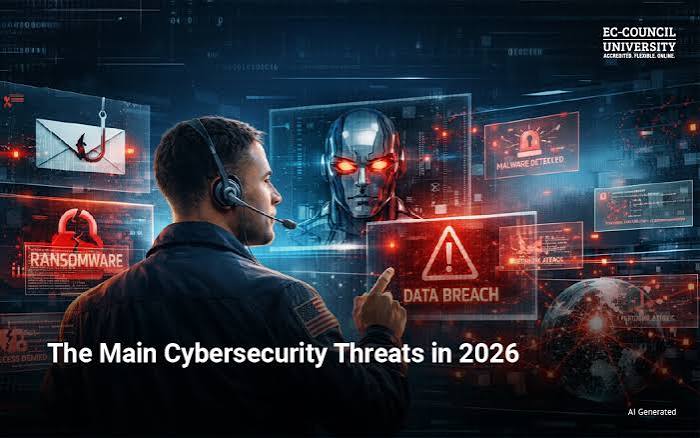
3. Phishing and Social Engineering
What it is: Attacks that manipulate people — rather than exploit software — into revealing credentials, approving fraudulent transactions, or installing malware.
Why it matters in 2026: Verizon’s DBIR found the human element present in 62% of breaches, and social engineering remains one of the most common breach patterns. Critically, the old advice to “watch for spelling mistakes” is no longer reliable: AI-generated phishing content is typically well-written, personalized using publicly available information, and increasingly delivered through voice and video rather than just text. Attackers are also branching out from corporate email into SMS, messaging apps, and social platforms — channels where people tend to be more distracted and less cautious.
Who is exposed: Everyone, but employees with access to financial systems, HR data, or administrative privileges are prime targets, as are older adults, who are disproportionately affected by voice-based scams.
Warning signs: Urgent or emotionally charged requests; pressure to bypass normal approval steps; requests to move a conversation to a new channel (e.g., “let’s continue on WhatsApp”); slightly unusual phrasing or formatting from an otherwise familiar contact; unexpected attachments or links.
Practical prevention:
- Verify unexpected or urgent requests independently — call a known number, don’t reply directly to the suspicious message
- Use phishing-resistant multi-factor authentication (like hardware security keys) rather than relying on SMS codes alone
- Run regular, realistic phishing simulations that include voice and mobile scenarios, not just email
- Report suspicious messages promptly, even if you’re not sure they’re malicious
4. Credential Theft and Identity Attacks
What it is: Attacks that target usernames, passwords, authentication tokens, and active sessions rather than software vulnerabilities.
Why it matters in 2026: Identity remains one of the most consistently exploited entry points into cloud and hybrid environments. Microsoft’s Digital Defense Report found that the overwhelming majority of identity-related attacks still rely on password spraying — repeatedly trying common or leaked passwords across many accounts — showing that basic authentication weaknesses remain a primary risk even as attackers adopt more advanced techniques elsewhere. Once inside, attackers also increasingly manipulate mailbox rules, register new MFA methods, or hijack active login sessions to maintain access without needing the password again.
Who is exposed: Anyone who reuses passwords across services, lacks multi-factor authentication, or holds privileged access to business systems.
Warning signs: Login alerts from unfamiliar locations or devices, unexpected MFA prompts you didn’t trigger, password-reset emails you didn’t request, or new devices/sessions appearing in an account’s security settings.
Practical prevention:
- Use a password manager and unique, strong passwords for every account
- Enable multi-factor authentication everywhere it’s offered, prioritizing phishing-resistant methods for sensitive accounts
- Never approve an MFA prompt you didn’t initiate — treat it as a sign someone has your password
- Regularly review active sessions and connected devices on important accounts and revoke anything unrecognized
5. Data Breaches
What it is: Incidents in which sensitive personal, financial, or business information is accessed or exposed without authorization.
Why it matters in 2026: Data breaches sit downstream of nearly every other threat on this list — they can result from phishing, credential theft, unpatched vulnerabilities, ransomware, or vendor compromises. Verizon’s 2026 DBIR analyzed the largest dataset in its history, more than 22,000 confirmed breaches, underscoring how routine breach activity has become across industries.
Who is exposed: Any organization that stores customer, employee, financial, or health data — and by extension, any individual whose information is held by those organizations.
Consequences: Exposed personal information can lead to identity theft, financial fraud, targeted phishing using stolen details, regulatory penalties, and significant business disruption while an organization investigates and remediates.
Practical prevention:
- Limit how much sensitive data is collected and stored in the first place
- Encrypt sensitive data both at rest and in transit
- Apply the principle of least privilege so employees and systems only access what they genuinely need
- Have a breach notification and response plan ready, since fast, transparent communication reduces downstream harm
6. Zero-Day and Vulnerability Exploitation
What it is: A zero-day vulnerability is a software flaw that is unknown to the vendor (or unpatched) at the time attackers begin exploiting it. More broadly, “vulnerability exploitation” also includes attacks against known flaws that organizations simply haven’t patched yet.
Why it matters in 2026: This is arguably the single biggest shift in this year’s threat data. Verizon’s DBIR found vulnerability exploitation now accounts for 31% of breaches — a 55% increase over the prior year — overtaking stolen credentials as the top initial access method for the first time in the report’s history. CrowdStrike separately found that 42% of vulnerabilities it tracked were exploited before they were even publicly disclosed. Compounding the problem, the median time it takes organizations to patch known flaws increased from 32 to 43 days, even as the volume of urgent, actively exploited vulnerabilities keeps rising.
Who is exposed: Organizations running internet-facing systems — VPNs, firewalls, edge devices, and web applications — are especially exposed, since these are common footholds for both criminal and state-linked attackers.
Practical prevention:
- Prioritize patching based on which vulnerabilities are actually being exploited (such as those on CISA’s Known Exploited Vulnerabilities catalog), not just severity scores alone
- Reduce the number of internet-facing systems and services wherever possible
- Use vulnerability scanning and exposure management tools to maintain visibility into your full attack surface
- Apply security patches promptly, especially for edge devices like VPNs and firewalls, which are frequently targeted for long-term access
7. Cloud and SaaS Security Threats
What it is: Risks arising from misconfigured cloud resources, compromised cloud accounts, excessive permissions, and insecure third-party integrations connected to cloud platforms.
Why it matters in 2026: As organizations continue shifting data and operations to the cloud, attackers have followed. CrowdStrike reported a 37% overall rise in cloud-conscious intrusions, including a 266% increase in cloud-focused activity from state-linked actors seeking intelligence. Microsoft’s research found that exposed cloud assets can be compromised in as little as 48 hours after becoming visible on the internet — a narrow window for defenders to catch misconfigurations before attackers do.
Who is exposed: Any organization using cloud infrastructure or SaaS applications — which today includes nearly every business, regardless of size.
Practical prevention:
- Regularly audit cloud configurations for excessive public access or overly broad permissions
- Apply least-privilege access controls to cloud accounts and service identities, not just human users
- Monitor third-party app integrations connected to core business platforms (email, file storage, CRM)
- Use cloud security posture management tools to catch misconfigurations before attackers find them
8. Supply-Chain and Third-Party Attacks
What it is: Attacks that compromise a trusted vendor, software dependency, open-source component, or service provider in order to reach their downstream customers.
Why it matters in 2026: This threat category has grown sharply. Verizon’s DBIR found that third-party involvement in breaches jumped 60% year-over-year and now factors into roughly 48% of total breaches analyzed. Separate industry research found that open-source package repositories, CI/CD pipelines, and developer tools have become frequent targets, precisely because a single compromised component can silently spread to every organization that depends on it. Even cybersecurity vendors themselves have been targeted this way in 2026, underscoring that no sector is immune.
Who is exposed: Virtually every organization, since the average business now relies on hundreds or even over a thousand third-party vendors and software dependencies — often with limited visibility into how secure each one actually is.
Practical prevention:
- Maintain an inventory of vendors and software dependencies, and understand what access each one has
- Monitor vendor security advisories and threat intelligence for issues affecting your supply chain
- Require key vendors to meet baseline security standards and report incidents promptly
- Use software bills of materials (SBOMs) where available to understand what’s actually inside the software you run
9. Deepfakes and Digital Impersonation
What it is: The use of AI-generated audio, video, or images to convincingly impersonate a real person — an executive, a colleague, a family member, or a public figure.
Why it matters in 2026: Deepfake-enabled fraud has moved from a rare novelty to a documented business risk. Research from Adaptive Security found the share of business email compromise (BEC) attacks involving AI-generated voice, video, or text rose to roughly 40% by early 2026, up from under 5% in 2023, with commodity voice-cloning tools now available cheaply on underground markets. The FBI’s own 2025 data introduced AI-related fraud as a distinct crime category for the first time, logging tens of thousands of complaints and hundreds of millions of dollars in losses tied to AI-assisted scams. High-profile cases — including one where a finance employee authorized a multi-million-dollar transfer after joining a video call where every other “person” present was a deepfake of company executives — illustrate how convincing this technique has become.
Who is exposed: Finance and HR staff who approve payments or handle sensitive requests, executives whose voices and likenesses are publicly available, job seekers targeted in fake interviews, and older adults targeted through emotionally manipulative “relative in trouble” voice scams.
Warning signs: Slightly unnatural audio or video quality, mismatched lip movement, requests to keep a call or transaction confidential, unusual urgency, or a request that bypasses normal approval processes even though it seems to come from a trusted person.
Practical verification advice:
- Confirm unusual or high-value requests through a separate, previously established communication channel — never one provided in the suspicious message itself
- Establish internal “verification phrases” or callback procedures for high-value financial approvals
- Treat any request to skip standard approval steps as a red flag, regardless of who appears to be asking
- Educate employees on what deepfake-enabled fraud looks like, since awareness meaningfully improves detection
10. IoT and Connected-Device Security
What it is: Security weaknesses in internet-connected devices — from home smart devices to industrial sensors and medical equipment — often stemming from weak default credentials, outdated firmware, or poor network segmentation.
**Why it matters in 2026: ** Security researchers continue to flag connected devices as an under-secured part of the attack surface. Firmware vulnerabilities embedded in widely used device components (for example, libraries used across security cameras, drones, and industrial controllers) can affect large numbers of devices at once, and legacy industrial control systems in critical infrastructure were often built for reliability rather than security, making them difficult to patch or monitor.
Who is exposed: Households with smart devices, small businesses using connected equipment, and industries relying on operational technology (OT) such as manufacturing, utilities, and healthcare.
Practical prevention:
- Change default passwords on every connected device immediately after setup
- Keep device firmware updated, and retire devices that no longer receive security updates
- Place IoT devices on a separate network segment from computers that handle sensitive data
- Disable unused features and remote-access capabilities you don’t actually need
11. Mobile Security Threats
What it is: Risks affecting smartphones and tablets, including malicious apps, mobile-targeted phishing (smishing and vishing), and unsafe app permissions.
Why it matters in 2026: Attackers are deliberately shifting toward mobile channels because people tend to be more distracted and trusting there. Verizon’s research found mobile-based phishing simulations produced 40% higher engagement than traditional email phishing, reflecting real-world attacker behavior of reaching employees through SMS, personal messaging apps, and voice calls rather than corporate email alone.
Who is exposed: Anyone with a smartphone — but employees using personal devices for work (without adequate safeguards) are a particular risk to organizations.
Practical prevention:
- Only install apps from official app stores and review requested permissions before granting them
- Keep the mobile operating system and apps updated
- Be skeptical of unexpected texts or calls asking for personal information, codes, or urgent payments
- Use mobile device management tools for company-owned or work-connected devices
12. Insider Threats
What it is: Security incidents caused by people with legitimate access to systems — whether through malicious intent, negligence, or simple human error.
Why it matters in 2026: Insider risk doesn’t require a sophisticated outside attacker; a single employee with excessive access, a misconfigured permission, or a moment of carelessness (like approving an MFA prompt out of habit) can cause significant harm. As organizations grant more access to AI tools and third-party integrations, the range of what an “insider” can unintentionally expose has grown as well.
Who is exposed: Any organization, but those with weak access controls, minimal activity monitoring, or limited security awareness training face higher risk.
Practical prevention:
- Apply the principle of least privilege so employees only access what their role requires
- Monitor for unusual account behavior, such as large data downloads outside normal patterns
- Maintain clear offboarding procedures to revoke access immediately when someone leaves
- Build a security awareness culture where employees feel comfortable reporting mistakes quickly
13. Critical Infrastructure and High-Impact Attacks
What it is: Attacks targeting the systems that keep essential services running — energy, water, healthcare, food, and transportation — often via operational technology (OT) rather than standard IT systems.
Why it matters in 2026: Security researchers warn that critical infrastructure remains an active target for both financially motivated and state-linked actors in 2026, expanding beyond utilities and finance into manufacturing, healthcare, water systems, and logistics. Legacy industrial control systems, which were built for operational reliability rather than cybersecurity, remain difficult to patch, segment, and monitor — a structural weakness that is likely to persist.
Who is exposed: Operators of energy, water, healthcare, and manufacturing systems, along with the broader public that depends on those services continuing to function.
Why it matters beyond the target organization: An attack that disrupts critical infrastructure can affect public safety and essential services well beyond the targeted company, distinguishing it from a typical data breach.
Practical prevention:
- Segment operational technology (OT) networks from standard IT networks
- Maintain manual fallback procedures in case digital systems are disrupted
- Apply asset inventory and monitoring specifically designed for OT/ICS environments
- Coordinate with sector-specific information sharing organizations (ISACs) and government advisories
How to Protect Against the Biggest Cybersecurity Threats
No single fix addresses every threat above, but a relatively short list of fundamentals meaningfully reduces risk across nearly all of them:
- Use strong, unique passwords with a password manager — this remains one of the highest-impact, lowest-effort defenses available.
- Enable multi-factor authentication everywhere possible, prioritizing phishing-resistant methods (like hardware security keys) for sensitive or privileged accounts.
- Keep software, operating systems, and firmware updated, and prioritize patches for vulnerabilities known to be actively exploited.
- Maintain tested, offline backups so ransomware or data loss doesn’t mean total loss.
- Build phishing and social-engineering awareness, including mobile and voice-based scams, not just email.
- Verify unexpected or urgent requests independently, especially anything involving money, credentials, or sensitive data.
- Apply least-privilege access controls so a single compromised account or device can’t reach everything.
- Secure cloud accounts and review app permissions regularly, removing access you no longer need.
- Monitor account activity for logins, devices, or sessions you don’t recognize.
- Build (and rehearse) an incident response plan before you need it, not during a crisis.
Prioritize these according to your actual exposure — an individual’s top priority (password manager, MFA, phishing awareness) looks different from a large organization’s (vulnerability management, identity security, vendor risk, incident response).
Warning Signs Users Should Not Ignore
Certain signals often indicate a cybersecurity incident is already underway:
- Unexpected login alerts, especially from unfamiliar locations or devices
- Password-reset notifications you didn’t request
- Unknown devices or active sessions listed on your accounts
- Unusual account activity, such as sent emails you didn’t write or files you didn’t create
- Suspicious or unrecognized financial transactions
- MFA prompts you didn’t trigger yourself
- Security software alerts you don’t understand or that appear repeatedly
- Devices or systems behaving unusually — slow performance, unexpected pop-ups, or disabled security tools
If you notice any of these, don’t dismiss them as glitches. Investigate promptly, or report them to your IT/security team if you’re at an organization.
What to Do After a Suspected Cyberattack
- Disconnect the affected device from the network if appropriate, to limit further spread — but avoid powering it off if you may need forensic evidence preserved.
- Change compromised passwords from a different, trusted device, starting with the affected account and any accounts that reused the same password.
- Revoke suspicious active sessions on affected accounts and sign out of all devices where supported.
- Enable multi-factor authentication if it wasn’t already active.
- Contact the relevant service provider (bank, email provider, employer IT team) to report the incident and get further guidance.
- Preserve evidence — screenshots, emails, and logs — rather than deleting suspicious material immediately.
- Report fraud or cybercrime to the appropriate authority (for example, your national cybercrime reporting agency).
- Notify your organization’s IT/security team immediately if this happened on a work account or device.
- Restore systems from clean, verified backups when appropriate, only after confirming the original compromise has been addressed.
Individuals vs. Small Businesses vs. Larger Organizations
Risk exposure differs depending on who — or what — is being targeted.
Individuals face the highest risk around personal accounts, smartphones, and financial information. Common threats include phishing, social engineering, identity theft, and increasingly, deepfake-based scams targeting family relationships or financial urgency.
Small businesses are frequently targeted through business email compromise, ransomware, weak authentication practices, and unpatched systems — often because security resources are limited compared to larger organizations. Vendor and supply-chain risk also matters here, since small businesses are sometimes used as a stepping stone to reach larger partners.
Larger organizations contend with more complex risks: identity infrastructure at scale, cloud environment security, extensive supply chains, advanced and sometimes state-linked threat actors, large-scale data exposure, and the operational demands of formal incident response.
No single group is universally “most targeted” — attackers select targets based on opportunity, value, and access, which varies by situation.
Important Cybersecurity Limitations
No security measure eliminates cyber risk entirely — the realistic goal is meaningful risk reduction, not perfect protection. Several factors make this true regardless of how strong your defenses are:
- Human error remains a factor in the majority of breaches, and no training program eliminates it completely
- Zero-day vulnerabilities can be exploited before a patch even exists
- Third-party dependencies mean your security posture is partly determined by vendors you don’t fully control
- Attack techniques keep evolving, particularly as AI lowers the cost and effort required to run convincing attacks
- Security misconfigurations can undermine otherwise strong controls
- Sophisticated social engineering can bypass technical defenses by manipulating people directly
Understanding these limitations isn’t discouraging — it’s what makes layered defenses (multiple overlapping protections) and incident response planning so important.
Common Cybersecurity Mistakes
| Mistake | Practical Consequence |
|---|---|
| Reusing passwords across accounts | One breached account can compromise several others |
| Ignoring security updates | Leaves known, actively exploited vulnerabilities open |
| Trusting unexpected messages | Opens the door to phishing and social engineering |
| Approving unexplained MFA requests | Effectively hands over account access to an attacker |
| Giving excessive account permissions | Turns one compromised account into a much larger breach |
| Failing to maintain backups | Leaves ransomware recovery dependent on paying attackers |
| Assuming antivirus alone is complete protection | Misses modern threats that blend in with legitimate activity |
| Ignoring suspicious account activity | Allows an intrusion to continue undetected and escalate |
| Failing to verify urgent financial requests | Enables business email compromise and deepfake-driven fraud |
Comparison: Major 2026 Cybersecurity Threats at a Glance
| Threat | Primary Target | Main Risk | Common Warning Sign | Key Defense |
|---|---|---|---|---|
| AI-Powered Attacks | Individuals & organizations | Faster, more convincing scams | Unusually polished or personalized messages | Verify requests independently |
| Ransomware | Organizations of all sizes | Data encryption & extortion | Ransom notes, disabled security tools | Offline backups, fast patching |
| Phishing & Social Engineering | Employees & individuals | Credential theft, fraud | Urgent, emotionally charged requests | Phishing-resistant MFA, verification habits |
| Credential/Identity Attacks | Account holders | Account takeover | Unexpected MFA prompts, login alerts | Unique passwords, MFA everywhere |
| Data Breaches | Organizations holding personal data | Exposure of sensitive information | Breach notifications, unusual data flows | Encryption, least privilege |
| Zero-Day/Vulnerability Exploitation | Internet-facing systems | Unauthorized access | N/A (often silent) | Rapid patching, exposure management |
| Cloud/SaaS Threats | Cloud-using organizations | Data exposure, account compromise | Unusual permission changes | Configuration audits, least privilege |
| Supply-Chain Attacks | Vendors & their customers | Widespread downstream compromise | Vendor security advisories | Vendor risk management, SBOMs |
| Deepfakes/Impersonation | Finance, HR, executives | Fraudulent payments/access | Unusual urgency, odd audio/video quality | Independent verification channels |
| IoT/Connected Devices | Homes, businesses, OT environments | Device hijacking, network entry point | Unusual device behavior | Firmware updates, network segmentation |
| Mobile Threats | Smartphone users | Credential theft, malware | Unexpected texts/calls | App permission review, OS updates |
| Insider Threats | Any organization | Data exposure, misuse of access | Unusual data access patterns | Least privilege, monitoring |
| Critical Infrastructure Attacks | Utilities, healthcare, manufacturing | Service disruption | OT system anomalies | Network segmentation, manual fallback plans |
Frequently Asked Questions
What are the biggest cybersecurity threats in 2026? The most significant threats include AI-powered attacks, ransomware and extortion, phishing and social engineering, credential and identity theft, vulnerability exploitation, cloud/SaaS security gaps, supply-chain compromise, and deepfake-enabled fraud. Vulnerability exploitation notably overtook stolen credentials as the top breach entry method this year.
What is the fastest-growing cybersecurity threat in 2026? AI-enabled attacks are growing the fastest by most measures — including AI-assisted phishing, deepfake-driven fraud, and faster exploitation of vulnerabilities — with industry research showing an 89% year-over-year increase in AI-enabled adversary activity.
How is AI changing cyberattacks? AI is helping attackers move faster and appear more convincing — automating reconnaissance, personalizing phishing messages, generating deepfake audio and video, and accelerating the time between initial access and full network compromise.
What cybersecurity threat affects individuals the most? Phishing, social engineering, and identity/credential theft remain the most common threats individuals face, increasingly delivered through mobile channels and, in some cases, AI-generated voice scams.
Are ransomware attacks still a major threat in 2026? Yes. Ransomware appeared in roughly 48% of breaches analyzed in Verizon’s 2026 DBIR, and the number of active ransomware groups has grown significantly, even as fewer victims choose to pay.
How can I protect myself from phishing? Be skeptical of urgent or emotionally charged requests, verify unexpected messages through a separate channel, use phishing-resistant multi-factor authentication, and avoid clicking links or providing information in unsolicited messages.
How can businesses reduce cybersecurity risks? Prioritize patching actively exploited vulnerabilities, enforce least-privilege access, secure cloud configurations, monitor for unusual account activity, manage third-party vendor risk, and maintain a tested incident response plan.
What should I do if I think my account has been compromised? Change your password from a different device, enable MFA, review and revoke unfamiliar active sessions, check for unauthorized changes, and contact the service provider directly.
Are deepfakes becoming a cybersecurity risk? Yes. Deepfake audio and video are increasingly used in business email compromise and fraud, including cases where fraudsters impersonated executives on live video calls to authorize large financial transfers.
What is the most important cybersecurity protection for 2026? There isn’t a single silver bullet, but multi-factor authentication, prompt patching of known exploited vulnerabilities, and independent verification of unexpected requests together address the most common ways attackers succeed this year.

3 Comments
Pingback: What Is Ransomware? How It Works & How to Stay Safe
Pingback: Zero Trust Security in 2026: How It Protects Business
Pingback: Public Wi-Fi Safety 2026: Stay Safe on Any Network