

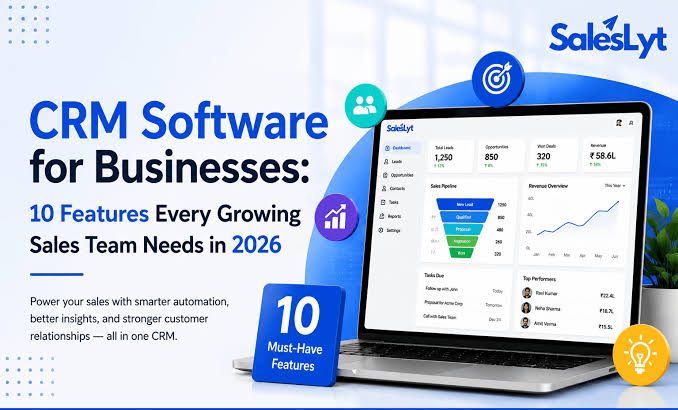
Choosing the best CRM software in 2026 is not simply about finding the platform with the most features. Best CRM Software 2026 for Small Businesses and Growing Teams depends on your business size, budget, sales process, and growth plans. Small businesses need a CRM that is affordable, easy to use, and quick to implement, while growing teams need stronger automation, reporting, integrations, and scalability.
The right customer relationship management software should help your team organize contacts, manage leads, track deals, automate repetitive work, and understand what is happening throughout the sales process.
Among the strongest CRM options for 2026 are HubSpot, Zoho CRM, Pipedrive, Freshsales, Salesforce, and monday CRM. Each serves a different type of business, so the best choice depends on your team size, budget, sales process, and growth plans.
Best CRM Software for Small Businesses in 2026
| CRM | Best For | Main Strength | Free Option | Starting Paid Price* |
|---|---|---|---|---|
| HubSpot | Small businesses and startups | Easy all-in-one CRM | Yes | From $7/seat/month |
| Zoho CRM | Budget-conscious businesses | Features and value | Yes | Varies by plan |
| Pipedrive | Sales-focused teams | Simple sales pipeline | Trial | $14/seat/month |
| Freshsales | SMB sales teams | Affordable CRM with AI features | Yes | $9/user/month |
| Salesforce | Growing and complex organizations | Customization and scalability | No permanent free plan | From $25/user/month |
| monday CRM | Flexible teams | Visual workflows and customization | Trial | Varies by plan |
*Prices and plan features can change. Some providers use annual billing, add-ons, usage-based charges, or different regional pricing, so check the provider’s current pricing before purchasing.
HubSpot — Best Overall for Many Small Businesses
HubSpot is one of the strongest choices for a small business that wants to start with a relatively simple CRM and potentially expand into a broader customer platform.
Its free Sales Hub currently supports up to two users. Paid Sales Hub plans add more advanced sales functionality, with Starter, Professional, and Enterprise tiers aimed at increasingly sophisticated requirements.
The biggest advantage is the combination of accessibility and room for growth. A small company can begin with basic contact and deal management without immediately committing to an expensive CRM implementation.
Best Features
- Contact and company management
- Deal and pipeline management
- Sales activity tracking
- Email tools
- Reporting
- Automation on higher plans
- AI-powered capabilities
- Mobile access
- Broader marketing and customer-service ecosystem
Read More: Why Phones and Laptops Are Getting More Expensive in 2026
Best For
HubSpot is particularly suitable for startups and small businesses that want to begin simply but may eventually need marketing, sales, customer service, and other customer-facing tools in one ecosystem.
Potential Drawback
The free and entry-level options can be attractive, but businesses should carefully examine which advanced capabilities require paid plans, credits, or additional services as their requirements grow.
HubSpot’s current pricing also includes HubSpot Credits for certain AI-powered functionality, while Professional and Enterprise plans have additional onboarding costs.
Zoho CRM — Best for Value
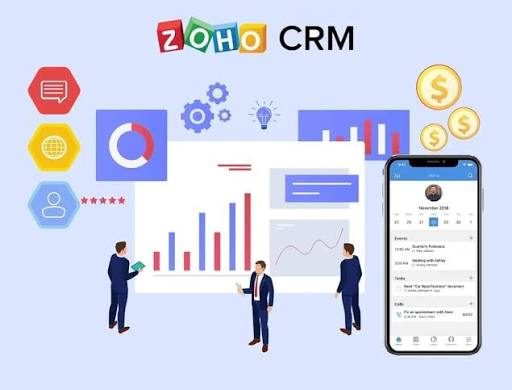
Zoho CRM is a strong option for businesses that want substantial CRM functionality without automatically moving into the pricing structure of larger enterprise platforms.
It is particularly appealing to small businesses that want flexibility and access to a wider business software ecosystem.
Best Features
- Contact management
- Lead management
- Deal pipelines
- Workflow automation
- Reports and dashboards
- Sales forecasting
- Customization
- Integrations
- Mobile CRM access
Best For
Zoho CRM makes sense for businesses that want a capable CRM while keeping a close eye on software costs.
It can also be attractive when a company already uses other Zoho products and wants its business tools to work together.
Potential Drawback
Zoho offers many capabilities, which can make the platform feel more complicated than a highly focused sales CRM. Teams should avoid configuring every available feature simply because it exists.
Pipedrive — Best for Sales Pipeline Management
Pipedrive is designed around the sales process, making it particularly appealing to teams whose main CRM requirement is managing leads, deals, activities, and sales stages.
Its current pricing includes Lite, Growth, Premium, and Ultimate plans. The Lite plan is listed at $14 per seat per month when billed annually, while higher tiers add automation, forecasting, lead generation, customization, AI features, and advanced security.
Best Features
- Visual sales pipeline
- Lead management
- Deal tracking
- Sales activities
- Email synchronization
- Follow-up automation
- Sales sequences
- Forecasting
- Reporting
- More than 500 integrations
Best For
Pipedrive is a strong choice for sales teams that want a straightforward way to see where every opportunity sits in the pipeline.
Potential Drawback
If your company needs a deeply integrated marketing, service, and customer-management ecosystem, a more comprehensive platform may be a better long-term fit.
Freshsales — Best Affordable CRM With AI Features
Freshsales is another strong choice for startups and small-to-medium businesses that want useful CRM functionality without a high starting cost.
Freshworks currently lists a free Freshsales plan for up to three users. Its Growth plan is listed at $9 per user per month when billed annually, followed by Pro at $39 and Enterprise at $59.
Best Features
- Contact management
- Account management
- Sales pipelines
- Kanban views
- Phone
- Chat
- Custom fields
- Workflows
- Contact scoring
- Sales sequences
- AI-powered insights
Best For
Freshsales is particularly useful for small teams looking for an affordable CRM with communication tools and AI-oriented sales capabilities.
Potential Drawback
As the business becomes more complex, you may need higher plans or additional features. It is therefore important to evaluate the total cost rather than looking only at the entry-level price.
Salesforce — Best for Complex and Fast-Growing Teams
Salesforce is one of the most powerful CRM platforms available, but that does not automatically make it the best choice for every small business.
Its strength is flexibility. Businesses with complicated sales processes, multiple teams, advanced reporting requirements, extensive integrations, or substantial customization needs can benefit from its capabilities.
Salesforce currently lists its Starter Suite at $25 per user per month, with more advanced editions available at significantly higher prices.
Best Features
- Lead and opportunity management
- Advanced customization
- Workflow automation
- Reporting
- Forecasting
- Integrations
- AI capabilities
- Extensive ecosystem
- Enterprise-level administration
Best For
Salesforce is best suited to growing organizations that expect their CRM requirements to become increasingly sophisticated.
Potential Drawback
It can be more complicated and expensive to implement than a simpler CRM. A small company with a straightforward sales process may end up paying for functionality it does not need.
monday CRM — Best for Flexible Workflows
monday CRM is worth considering for teams that prefer visual workflows and highly customizable processes.
Its approach can be useful when a company’s sales process does not fit neatly into a traditional CRM structure.
Best Features
- Visual pipelines
- Custom workflows
- Automation
- Dashboards
- Team collaboration
- Custom fields
- Integrations
- Flexible views
Best For
It can work well for teams that want their CRM to resemble the way they already organize projects, tasks, and customer processes.
Potential Drawback
Businesses looking specifically for a dedicated sales CRM may prefer a more specialized platform such as Pipedrive.
CRM Software Compared by Business Need
There is no single CRM that wins for every company. Your priorities should determine your choice.
| Business Need | Best Starting Point |
|---|---|
| Free CRM for a very small team | HubSpot |
| Strong value for a limited budget | Zoho CRM |
| Straightforward sales pipeline | Pipedrive |
| Affordable CRM with AI features | Freshsales |
| Complex customization and scalability | Salesforce |
| Flexible visual workflows | monday CRM |
These recommendations are based on the platforms’ current positioning and feature sets rather than suggesting that one product is universally better than the others.
Best CRM for a Very Small Business
A very small business usually does not need an enterprise CRM.
If your team consists of one to three people, focus on:
- Contact management
- Lead tracking
- Deal management
- Tasks and reminders
- Email integration
- Basic reporting
- Simple setup
- Low or zero monthly cost
HubSpot and Freshsales are particularly worth considering because both currently provide free options with limited users. HubSpot’s free Sales Hub supports up to two users, while Freshsales offers a free plan for up to three users.
At this stage, ease of adoption is usually more important than advanced customization.
Best CRM for a Growing Team
Once a company starts adding sales representatives, leads, products, or territories, CRM requirements change.
A growing team may need:
- Multiple pipelines
- Automated lead assignment
- Workflow automation
- Sales sequences
- Advanced reporting
- Forecasting
- User permissions
- Custom fields
- Integration with accounting and communication tools
- Better data management
This is where platforms such as Zoho CRM, Pipedrive, Freshsales, HubSpot, and Salesforce become more relevant depending on the organization’s requirements.
The key question is not simply, “Can this CRM handle our current team?”
Ask:
“Can this CRM handle our business two or three years from now without forcing us into an expensive migration?”
Essential CRM Features for Small Businesses
A CRM does not need hundreds of features to be useful.
The following capabilities should be considered essential.
Contact Management
Your CRM should maintain customer and prospect information in an organized location.
This can include:
- Names
- Companies
- Email addresses
- Phone numbers
- Notes
- Previous interactions
- Lead status
- Customer status
A centralized contact database prevents customer information from being scattered across spreadsheets, inboxes, and individual employees’ notes.
Lead Management
Lead management allows your team to track prospects from their first interaction through qualification and conversion.
A useful CRM should make it easy to identify:
- New leads
- Qualified leads
- Leads requiring follow-up
- Lost opportunities
- Converted customers
Sales Pipeline Management
A pipeline shows where opportunities currently sit.
For example:
New Lead → Qualified → Proposal → Negotiation → Won/Lost
This gives sales managers a clearer view of current opportunities and future revenue.
Task and Follow-Up Management
A CRM should help employees remember what needs to happen next.
Useful features include:
- Follow-up reminders
- Tasks
- Meetings
- Calls
- Email tracking
- Activity timelines
Reporting
Basic CRM reporting can answer important questions:
- How many leads entered the pipeline?
- How many converted?
- Which sales representative has the most opportunities?
- How long do deals take to close?
- Which pipeline stages cause the most losses?
Advanced CRM Features for Growing Teams
Not every business needs advanced features immediately.
However, they become valuable as sales operations become more complicated.
Workflow Automation
Automation can handle repetitive activities such as:
- Assigning leads
- Sending follow-up emails
- Creating tasks
- Updating deal stages
- Notifying sales representatives
- Moving records between stages
The goal is not to automate everything. It is to remove repetitive administrative work that employees do not need to perform manually.
Lead Scoring
Lead scoring helps teams prioritize prospects.
For example, a CRM could assign higher scores to leads that:
- Request a demo
- Open multiple emails
- Visit important pages
- Match a target customer profile
- Interact with sales representatives
Sales Forecasting
Forecasting becomes increasingly useful as teams grow.
Instead of simply counting opportunities, managers can analyze pipeline value, probability, historical performance, and expected close dates.
Integrations
Your CRM should work with the tools your company already uses.
Potential integrations include:
- Calendar
- Accounting software
- Marketing platforms
- Customer support
- Communication tools
- Forms
- Ecommerce systems
- Productivity applications
A CRM that requires employees to constantly copy information between systems can create more work instead of reducing it.
CRM Pricing: What Will You Really Pay?
CRM pricing can be misleading if you only look at the advertised starting price.
The actual cost can depend on:
- Number of users
- Billing cycle
- Plan level
- Add-ons
- AI usage
- Marketing contacts
- Data limits
- Integrations
- Implementation
- Training
- Migration
- Support
Pipedrive, for example, currently lists its plans from $14 per seat per month for Lite through $79 for Ultimate when billed annually, with optional add-ons available separately.
Freshsales currently starts at $9 per user per month for its Growth plan when billed annually, but additional functionality can involve add-ons.
HubSpot’s current Sales Hub pricing ranges from a free plan to significantly more expensive Professional and Enterprise tiers, and some advanced plans include required onboarding fees.
Therefore, compare the total expected cost, not just the lowest advertised number.
Free CRM vs Paid CRM
A free CRM can be enough when:
- Your team is very small
- You have a simple sales process
- You manage a limited number of opportunities
- You mainly need contacts and pipelines
- You do not require advanced automation
A paid CRM becomes more attractive when:
- Your sales team is growing
- Leads are being lost
- Manual follow-ups consume time
- You need automation
- Managers need better reporting
- Multiple teams need access
- You need advanced integrations
- You need stronger permissions or governance
The goal is not to avoid paying for CRM software.
The goal is to pay when the additional functionality creates enough business value to justify the cost.
How to Choose the Right CRM
Choosing a CRM becomes much easier when you follow a structured process.
Define Your Sales Process
Before looking at software, write down how a lead becomes a customer.
For example:
Lead → Qualification → Discovery → Proposal → Negotiation → Closed
Your CRM should support this process rather than forcing your employees to completely change how they work.
Decide What You Actually Need
Separate requirements into three groups:
Must have: Features required for daily operations.
Useful: Features that improve efficiency but are not essential.
Future: Features you may need as the business grows.
This prevents you from buying an expensive CRM because of features you might never use.
Calculate Your Team Size
Determine how many people need:
- Full CRM access
- Limited access
- Reporting access
- Administrative access
Since many CRM platforms charge per user, team size directly affects your recurring cost.
Check Integrations
Make a list of the software your team already uses.
Then verify whether the CRM integrates with those tools before purchasing.
Test Before Buying
Use free plans or trials whenever available.
Give the CRM to the people who will actually use it and ask them to complete normal tasks such as:
- Add a lead
- Create a deal
- Schedule a follow-up
- Update a pipeline
- Find customer history
- Create a report
If basic activities feel unnecessarily complicated during the trial, the platform may not be a good fit.
CRM Implementation Guide for Small Businesses
Buying a CRM is only the beginning.
A poorly configured CRM can become another database that employees ignore.
Clean Your Existing Data
Before importing contacts, remove:
- Duplicate contacts
- Outdated records
- Incorrect email addresses
- Unnecessary fields
- Old leads that no longer matter
Clean data makes the CRM much more useful.
Create Your Pipeline
Keep the first version simple.
For example:
New → Qualified → Proposal → Negotiation → Won/Lost
You can add additional stages later when there is a genuine business need.
Configure User Roles
Decide who can:
- View contacts
- Edit records
- Export data
- Create reports
- Change settings
- Manage users
Not every employee needs administrative access.
Connect Important Tools
Start with the integrations that save the most manual work.
Email and calendar integration are often more valuable initially than connecting dozens of less important applications.
Automate Repetitive Tasks
After your basic CRM workflow is stable, identify repetitive processes that can be automated.
Do not automate a broken process. Fix the process first, then automate it.
Train the Team
Employees should understand:
- What information belongs in the CRM
- When records should be updated
- Which fields are required
- How leads are assigned
- How follow-ups are tracked
- Which reports managers use
CRM adoption is more important than having an enormous feature set.
Common CRM Mistakes to Avoid
Choosing Only Based on Price
The cheapest CRM is not necessarily the least expensive option.
If employees dislike using it, leads can be missed and valuable customer information can remain outside the system.
Buying Too Many Features
Advanced automation, AI, customization, and reporting can be useful, but unnecessary features increase cost and complexity.
Start with what your team actually needs.
Ignoring Future Pricing
A CRM that looks affordable with three users may become expensive with 20 users.
Calculate the expected cost at your likely future team size.
Forgetting About Data Migration
Moving from spreadsheets or another CRM can be time-consuming.
Before committing, understand:
- What data can be imported
- Which fields are supported
- Whether duplicates can be detected
- What historical activity can be transferred
- Whether migration assistance is available
Building an Overly Complicated Pipeline
More pipeline stages do not automatically create better sales management.
If employees cannot quickly understand where an opportunity belongs, simplify the pipeline.
Ignoring User Adoption
The CRM belongs to the business, but employees are the ones who must use it.
A simpler CRM that the entire team updates consistently can be more valuable than a powerful system that nobody uses properly.
Best CRM Software 2026: Final Verdict
The best CRM software in 2026 depends on what your business needs today and where you expect to be tomorrow.
HubSpot is a strong overall choice for small businesses that want an accessible starting point and the option to expand into a broader customer platform.
Zoho CRM is a compelling option for businesses that prioritize features, flexibility, and value.
Pipedrive is particularly well suited to sales-focused teams that want a clean and intuitive pipeline.
Freshsales stands out for small and growing teams looking for affordable CRM functionality with AI-oriented sales features.
Salesforce makes the most sense when customization, advanced workflows, and long-term scalability are more important than simplicity.
monday CRM is worth considering for teams that want flexible, visual workflows and customization.
Ultimately, the best CRM is not the one with the longest feature list. It is the platform that fits your sales process, budget, team size, technical ability, and future growth.
For a small business, starting simple is usually the smartest approach. Choose the CRM your team will actually use, establish a clean sales process, and add automation and advanced functionality only when the business genuinely needs it.
Frequently Asked Questions
What is the best CRM software for a small business in 2026?
There is no universal winner, but HubSpot, Zoho CRM, Pipedrive, and Freshsales are strong options for different small-business needs. HubSpot is particularly attractive for businesses wanting a free starting point, while Pipedrive is well suited to sales-focused teams and Zoho is strong for businesses seeking broad functionality and value.
Is a free CRM enough for a small business?
Yes, a free CRM can be enough for a very small team with straightforward sales requirements. It may provide contact management, basic pipelines, and essential sales tools. Businesses usually need to consider a paid plan when they require advanced automation, reporting, integrations, permissions, or larger user limits.
What is the easiest CRM for a small business?
Ease of use depends on the business process, but Pipedrive is particularly focused on making sales pipeline management straightforward. HubSpot can also be approachable for businesses starting with basic CRM functionality.
Is HubSpot better than Zoho CRM?
Neither is automatically better. HubSpot can be attractive for businesses wanting an easy starting point and a broader customer platform, while Zoho CRM can be a better fit for businesses prioritizing flexibility and value.
Is Pipedrive good for growing teams?
Yes. Pipedrive offers higher plans with automation, sales sequences, forecasting, lead generation, scoring, customization, and additional controls. Its current plans are designed to support teams as their sales requirements become more advanced.
How much does CRM software cost?
CRM costs vary significantly. Some platforms provide free plans, while paid plans commonly use per-user pricing. Current examples include Pipedrive starting at $14 per seat per month when billed annually and Freshsales starting at $9 per user per month when billed annually. HubSpot also provides a free option, with paid Sales Hub tiers increasing substantially as advanced functionality is required.
When should a small business start using a CRM?
A business should consider a CRM when customer information becomes difficult to manage manually, leads are being missed, follow-ups are inconsistent, or multiple employees need access to the same customer information.
You do not need a large sales department to benefit from a CRM. A small team can implement one early and build organized processes before the business becomes more complicated.
What should I look for in a CRM?
Start with contact management, lead management, sales pipelines, tasks, reporting, integrations, ease of use, pricing, and scalability. Then consider advanced features such as automation, AI, forecasting, lead scoring, and customization based on your actual needs.
Should a small business choose the most powerful CRM?
Not necessarily. A powerful CRM can introduce unnecessary cost and complexity. The better choice is usually a platform that meets your current requirements while providing enough room for future growth.
What is the biggest mistake when choosing CRM software?
Choosing a CRM based only on features or price is one of the biggest mistakes. Businesses should also evaluate usability, employee adoption, integrations, implementation requirements, future pricing, and how well the software matches their actual sales process.
Conclusion
Finding the best CRM software in 2026 comes down to choosing a platform that fits your business rather than simply selecting the one with the most features. Small businesses should prioritize affordability, ease of use, contact management, and sales pipeline tools, while growing teams may need automation, advanced reporting, integrations, and greater scalability.
HubSpot is a strong starting point for businesses that want an accessible CRM, Zoho CRM offers an attractive balance of features and value, Pipedrive works well for sales-focused teams, and Freshsales is worth considering for businesses looking for affordable CRM and AI-powered sales capabilities. For organizations with more complex requirements, Salesforce can provide the customization and scalability needed for long-term growth.

5 Comments
Pingback: Best AI Tools 2026 for Work Writing Research and Productivity - TechSheva
Pingback: Best Accounting Software 2026 for Small Business
Pingback: Best Email Marketing Software 2026 for Small Business
Pingback: Appointment Scheduling Software 2026: 10 Best Picks
Pingback: Best HR Software 2026: Top Picks for Small Business