

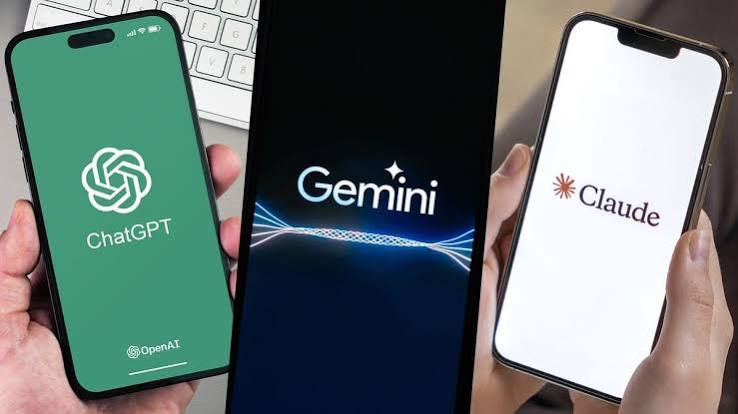
ChatGPT vs Claude vs Gemini is one of the most useful AI comparisons in 2026 because all three assistants can write, research, code, analyze files, and support work. The real difference is how each product combines model quality, tools, integrations, speed, and workflow support.
ChatGPT is the strongest all-rounder, Claude stands out for careful writing and deep knowledge work, while Gemini is compelling for Google users and multimodal tasks. This guide compares their strengths, weaknesses, features, and best use cases.
ChatGPT vs Claude vs Gemini: Quick Comparison
There is no universal winner.
All three assistants are capable enough to handle common tasks, but each has developed a different product identity.
| Category | ChatGPT | Claude | Gemini |
|---|---|---|---|
| Best overall use | All-purpose AI assistant | Deep writing and knowledge work | Google ecosystem and multimodal work |
| Writing | Excellent | Excellent | Very good |
| Coding | Excellent | Excellent | Excellent |
| Research | Excellent with web tools | Strong | Excellent with Google ecosystem |
| File analysis | Excellent | Excellent | Excellent |
| Google integration | Strong through supported connections | More limited | Native advantage |
| Multimodal work | Excellent | Strong | Excellent |
| Agent workflows | Strong | Strong | Strong |
| Best fit | Users wanting one flexible assistant | Writers, developers, analysts | Google Workspace and Android users |
The best choice therefore depends more on your workflow than on a single benchmark.
Read More: Best AI Tools 2026 for Work Writing Research and Productivity
ChatGPT: Best All-Round AI Assistant
ChatGPT remains one of the broadest AI products available.
OpenAI updated ChatGPT’s GPT-5.6 Sol experience in August 2026 with improved factual reliability, more focused answers, and controls that let users adjust how much reasoning the system applies to a response. Free users also gained expanded access through GPT-5.6 Luna.
ChatGPT can support:
- Writing and editing
- Web research
- File analysis
- Coding
- Data analysis
- Brainstorming
- Image work
- Planning
- Connected applications
- Personal productivity
This breadth is its biggest advantage.
Why ChatGPT Works Well for General Productivity
ChatGPT is useful when a task moves through several stages.
For example, a marketer might:
- Research a topic.
- Upload competitor documents.
- Build an outline.
- Draft an article.
- Analyze spreadsheet data.
- Rewrite social copy.
- Create supporting visuals.
Using one assistant for all these tasks reduces the need to switch platforms.
OpenAI has also expanded integrations. In August 2026, ChatGPT added support for connecting multiple Google accounts across Gmail, Calendar, and Contacts on supported plans, while Google Drive content can be accessed through Library when the relevant connection is enabled.
Best Uses for ChatGPT
ChatGPT is particularly strong for:
- General professional work
- SEO and content creation
- Research
- Coding
- Brainstorming
- File-based analysis
- Data work
- Business productivity
- Multi-tool workflows
ChatGPT’s Main Weakness
Because it is designed to handle such a broad range of tasks, it is not automatically the best specialist for every job.
A user focused mainly on long-form editorial work may prefer Claude, while someone working almost entirely inside Google’s ecosystem may find Gemini more convenient.
Claude: Best for Writing and Deep Knowledge Work
Claude is Anthropic’s AI assistant.
In 2026, Anthropic expanded its model family with products including Claude Sonnet 5 and Claude Opus 5, with the company positioning its latest models around coding, agents, and professional knowledge work.
Claude has developed a particularly strong reputation for handling substantial text-based tasks.
Where Claude Performs Particularly Well
Claude is useful for:
- Long-form writing
- Editing
- Reports
- Technical documentation
- Code review
- Complex analysis
- Large document sets
- Structured reasoning
- Knowledge-intensive professional work
A recent side-by-side writing test by Tom’s Guide found Claude particularly effective as a writing coach because it identified structural issues while preserving the writer’s voice. That is one test rather than a universal benchmark, but it illustrates the type of editorial work where Claude can be especially useful.
Claude for Writers
Claude often works well when you already have a draft and want detailed feedback.
For example:
Original draft → Claude critique → structural improvements → human rewrite
This can be more valuable than asking AI to generate an article from scratch.
A writer can ask Claude to identify:
- Weak arguments
- Repetition
- Tone problems
- Awkward transitions
- Missing context
- Poor structure
- Unclear explanations
That makes it particularly useful for professional editing.
Claude for Coding
Anthropic has also invested heavily in Claude Code.
Claude Sonnet 5 is positioned by Anthropic for coding, agentic workflows, and professional work, while Opus models target more demanding tasks.
This makes Claude a strong option for:
- Understanding large codebases
- Debugging
- Refactoring
- Architecture review
- Writing tests
- Explaining code
- Long-running development tasks
Claude’s Main Weakness
Claude’s greatest strengths are concentrated around text, code, and deep knowledge work.
Users looking for the broadest consumer ecosystem, extensive app connections, or deeply integrated Google services may find ChatGPT or Gemini more convenient.

Gemini: Best for Google Users and Multimodal Work
Gemini is Google’s AI assistant and benefits from Google’s enormous ecosystem.
That includes:
- Gmail
- Google Drive
- Docs
- Sheets
- Search
- Android
- YouTube
- Maps
- Calendar
- Other Google services
This integration is one of Gemini’s clearest competitive advantages.
In August 2026, Google announced additional connected apps for Gemini covering productivity, travel, entertainment, music, home services, and other categories.
Gemini’s Multimodal Strength
Google has consistently emphasized multimodal AI.
Gemini models are designed to work across combinations of:
- Text
- Images
- Audio
- Video
- Code
- Documents
Google’s Gemini 3 family expanded its reasoning, multimodal, and coding capabilities, while newer Gemini 3.7 Flash was introduced in August 2026 with a particular focus on coding and AI agents.
Gemini for Everyday Productivity
Gemini makes particular sense when your daily workflow already depends on Google.
For example:
Gmail → Gemini summarizes email
Drive → Gemini analyzes document
Docs → Gemini helps draft
Calendar → Gemini supports planning
Android → Gemini performs supported actions
Google reported in August 2026 that the Gemini app had surpassed one billion monthly users and could automate actions across more than 40 popular Android applications.
Best Uses for Gemini
Gemini is particularly useful for:
- Google Workspace users
- Android users
- Multimodal research
- Video and image understanding
- Web-connected work
- Coding
- AI agents
- Google-based productivity
Gemini’s Main Weakness
Its biggest advantage can also be a limitation.
If you do not use Google products heavily, some of Gemini’s integration benefits become less important.
ChatGPT vs Claude vs Gemini for Writing
For most writing tasks, all three can produce useful results.
However, their strengths differ.
ChatGPT
Best when writing is only one part of a larger workflow.
It can research, plan, write, edit, analyze supporting files, and create related assets in one environment.
Claude
Often the strongest choice for:
- Long-form drafts
- Editorial feedback
- Nuanced rewriting
- Reports
- Voice preservation
- Structural critique
Gemini
Useful when writing is connected to Gmail, Docs, Drive, or other Google services.
Writing Verdict
Best for deep writing: Claude
Best all-purpose writing workflow: ChatGPT
Best Google-integrated writing: Gemini
ChatGPT vs Claude vs Gemini for Research
Research is more complicated than simply asking an AI a question.
Good research requires:
- Fresh information
- Reliable sources
- Citation checking
- Comparison
- Context
- Fact verification
ChatGPT for Research
ChatGPT is strong when research involves a mix of web information, files, analysis, and follow-up reasoning.
It is particularly useful for turning research into a deliverable, such as:
- A report
- Comparison
- Content brief
- Market analysis
- Strategy document
Claude for Research
Claude is especially useful when the material already exists in documents.
Its strengths in long-form analysis make it valuable for working through:
- Reports
- Papers
- Policies
- Technical documentation
- Large text collections
Gemini for Research
Gemini benefits from Google’s search and information ecosystem.
It is particularly attractive for web-connected and multimodal research, especially when users also need information from Google services.
Research Verdict
Best mixed research workflow: ChatGPT
Best document-heavy analysis: Claude
Best Google-connected research: Gemini
ChatGPT vs Claude vs Gemini for Coding
Coding is one of the most competitive categories.
All three companies are investing heavily in developer tools and agentic software engineering.
ChatGPT for Coding
ChatGPT is strong for:
- Code generation
- Debugging
- Application development
- Code explanation
- Technical research
- Tool-supported workflows
OpenAI also develops Codex specifically around software engineering workflows.
Claude for Coding
Claude Code is a major part of Anthropic’s product strategy.
Claude’s latest models are explicitly positioned around coding and agent workflows, making it particularly useful for longer development tasks and large codebases.
Gemini for Coding
Google is also pushing Gemini strongly into development.
Gemini 3.7 Flash was introduced specifically as a workhorse model for coding and agents, with improvements in software engineering and web development workflows.
Coding Verdict
There is no reliable universal winner.
For practical use:
ChatGPT: strong general development ecosystem
Claude: excellent for deep codebase work
Gemini: strong for coding plus Google’s developer ecosystem
Developers should test the assistants against their own codebase rather than relying only on benchmarks.
ChatGPT vs Claude vs Gemini for Productivity
For productivity, integrations matter almost as much as model intelligence.
Choose ChatGPT if you want:
- A general AI workspace
- Files and research in one place
- Multiple connected services
- Flexible personal and professional workflows
Choose Claude if you want:
- Deep focus
- Writing
- Documentation
- Coding
- Long analytical tasks
Choose Gemini if you want:
- Gmail integration
- Google Workspace
- Android support
- Google services
- Connected multimodal workflows
Which AI Assistant Gives the Most Natural Writing?
This is subjective.
Claude often receives praise for restrained and natural long-form writing, while ChatGPT is highly adaptable when given strong tone instructions.
Gemini can also produce polished writing, particularly when the task is connected to source material or Google’s productivity tools.
The most important factor is prompting.
Instead of asking:
Write a professional article.
Give instructions covering:
- Audience
- Tone
- Structure
- Purpose
- Length
- Examples
- Things to avoid
All three assistants become significantly more useful when the task is clearly defined.
Which AI Assistant Is Best for Students?
Students can benefit from all three.
ChatGPT
Useful for:
- Explanations
- Study planning
- Practice questions
- Research
- Writing feedback
Claude
Useful for:
- Reading long materials
- Explaining difficult concepts
- Reviewing essays
- Analyzing documents
Gemini
Useful for students working with:
- Google Docs
- Drive
- Android
- Search
- Multimedia resources
Students should still follow their school’s AI policies and verify academic claims against course materials and original sources.
Which Is Best for Businesses?
For businesses, the decision should not be based only on which chatbot gives the nicest answer.
Consider:
- Security
- Data handling
- Integrations
- Existing software
- Administrative controls
- Cost
- Team workflows
- Model reliability
A company using Google Workspace extensively may prefer Gemini.
A company focused on software development or document-heavy professional work may prefer Claude.
A team needing a broad AI workspace across many different tasks may prefer ChatGPT.
Should You Use More Than One AI Assistant?
For some users, yes.
A practical professional workflow might be:
Gemini → Google-based research
Claude → deep review and editing
ChatGPT → synthesis, analysis, and final workflow
However, most individuals do not need three paid subscriptions.
Start with one assistant.
Only add another if you consistently encounter a task that your main tool does not handle well.
ChatGPT vs Claude vs Gemini: Final Verdict by Use Case
| Use Case | Best Starting Choice |
|---|---|
| Best overall AI assistant | ChatGPT |
| Long-form writing | Claude |
| Deep editing | Claude |
| Google Workspace | Gemini |
| Android integration | Gemini |
| General research | ChatGPT |
| Document-heavy analysis | Claude |
| Multimodal work | Gemini |
| Broad productivity | ChatGPT |
| Coding | ChatGPT or Claude |
| Google-connected work | Gemini |
| One AI subscription for most users | ChatGPT |
These recommendations are based on product strengths rather than a claim that one model permanently outperforms the others.
AI assistants change quickly, so the best choice can shift as new models and features arrive.
Frequently Asked Questions
Is ChatGPT better than Claude?
ChatGPT is generally the better choice if you want one broad AI assistant for writing, research, files, data, coding, and connected workflows. Claude can be preferable for long-form writing, deep analysis, and demanding coding tasks.
Is Claude better than Gemini?
Claude may be better for writing and document-heavy knowledge work, while Gemini has a stronger advantage for Google Workspace, Android, multimodal tasks, and Google’s ecosystem.
Is Gemini better than ChatGPT?
Gemini can be the better choice for users deeply integrated into Google products. ChatGPT is generally the stronger all-purpose option for users who want a broad AI workspace rather than a Google-centered experience.
Which AI is best for writing?
Claude is a strong starting choice for long-form writing and editorial feedback. ChatGPT is particularly useful when writing is part of a larger workflow involving research, files, or content production.
Which AI is best for coding?
ChatGPT and Claude are both strong coding choices, while Google’s Gemini 3.7 Flash is also specifically designed for coding and agent workflows. The best option depends on the codebase and development environment.
Which AI is best for research?
ChatGPT is a strong all-purpose research assistant, Claude performs well with substantial documents, and Gemini is compelling for Google-connected and multimodal research.
Which AI assistant should beginners use?
ChatGPT is a practical starting point for beginners because it combines many common AI tasks in one product. Users already heavily invested in Google’s ecosystem may find Gemini more natural.
Do I need ChatGPT, Claude, and Gemini together?
Usually not. Most users should choose one primary assistant based on their most common tasks and add a second tool only if it provides a meaningful advantage for a specific workflow.
Conclusion
The ChatGPT vs Claude vs Gemini comparison does not produce one permanent winner. ChatGPT is currently the strongest all-round choice for users who want one flexible AI workspace. Claude stands out for deep writing, editing, coding, and knowledge work, while Gemini is particularly strong for Google Workspace, Android, multimodal tasks, and connected Google services.

1 Comment
Pingback: AI Browsers 2026: Best Picks for Smarter Agentic Browsing