

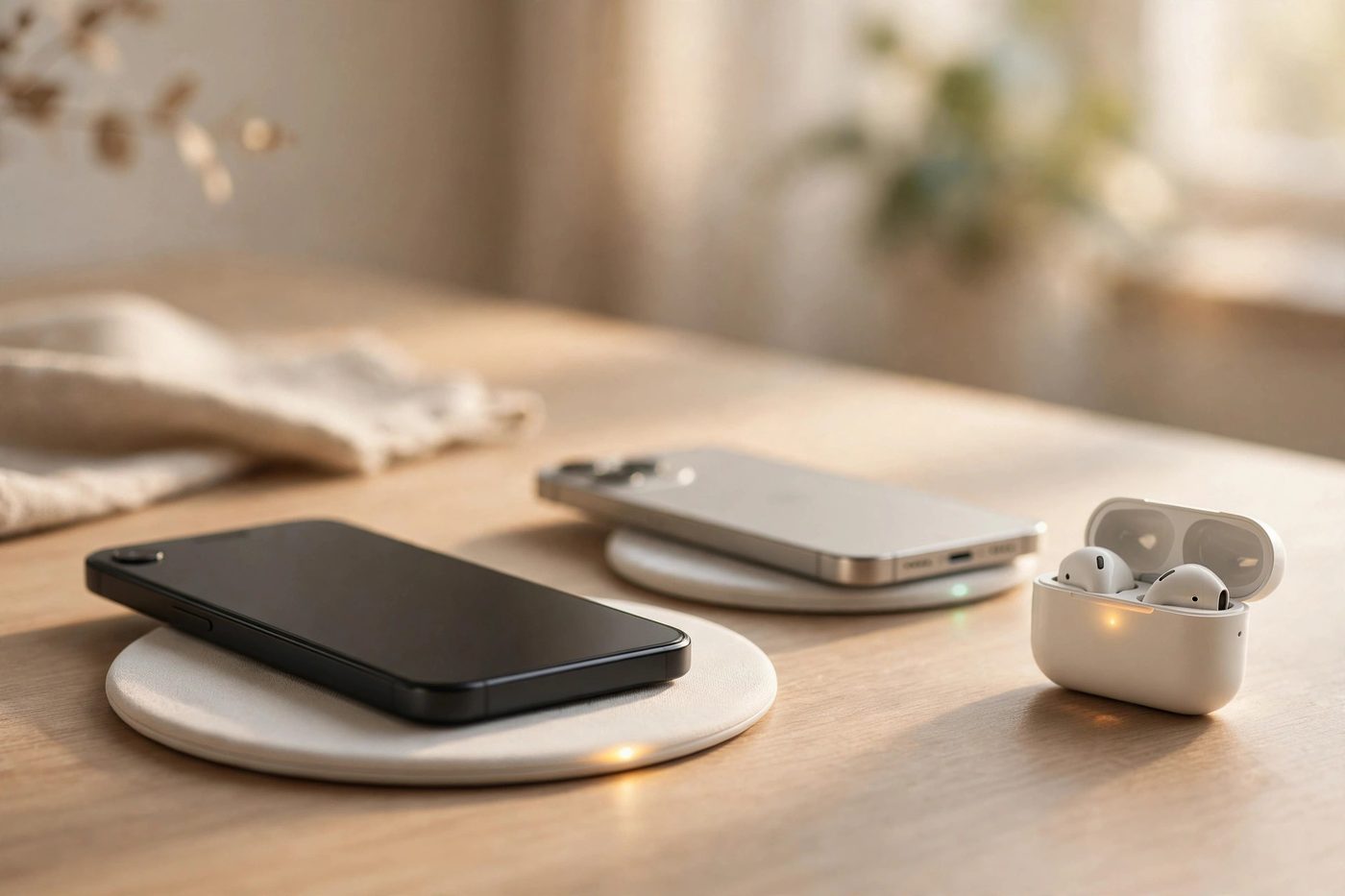
Wireless chargers have become one of the most useful gadgets on a desk, a nightstand, or a car dashboard. Instead of plugging a cable into your phone every night, you simply set the device down and charging starts on its own.
In 2026, the best wireless chargers are faster, cooler, and more universal than ever. The Qi2 standard brings magnetic alignment to both iPhone and Android, and the newer Qi2 25W tier pushes supported phones to speeds that were impossible a few years ago.
This guide compares the best wireless chargers in 2026 for phones, earbuds, and watches, with real speeds, real prices, and clear buying advice. If you are building a cable-free setup, see our guide to the best wireless earbuds of 2026 to make sure your earbuds and charger work well together.
What Are Wireless Chargers in 2026?
A wireless charger transfers power to a phone, earbuds case, or smartwatch without a cable plugged into the device. The charger contains a coil that creates a magnetic field, and the receiving device contains a matching coil that turns that field back into electricity.
Most wireless chargers in 2026 use the Qi standard, which is maintained by the Wireless Power Consortium. Three things define one:
- Standard: Qi, Qi2, or Apple MagSafe, which decides speed and alignment.
- Power output: measured in watts, usually 5W, 7.5W, 15W, or 25W.
- Form factor: flat pad, upright stand, foldable travel charger, or multi-device station.
The biggest change in 2026 is that magnetic alignment is now the default, not a premium feature: even budget chargers now snap into place with magnets.
How Wireless Chargers Work in 2026
Wireless charging uses inductive charging: an alternating current runs through a coil in the pad, creating a magnetic field, and the phone’s own coil converts that field into direct current that charges the battery.
Alignment is everything: if the two coils are even a few millimetres off centre, power transfer drops sharply and the phone charges slowly or not at all.
Qi2 solves this with a ring of magnets built into both the charger and the phone. The magnets pull the coils into perfect alignment every time, which can deliver up to 50 percent more usable power than non-magnetic pads at the same wattage.
Here is the simple charging workflow every wireless charger follows:
Place phone on pad → magnets snap coils into alignment → charger detects the device → power transfer begins → phone shows the charging icon → charging slows near full battery → charger stops or trickles to protect the battery.
Heat is the by-product of this process. Some energy is always lost as warmth, which is why many 2026 chargers include cooling fans or temperature sensors that slow charging when the phone gets too hot.
Qi2 vs MagSafe vs Standard Qi: Wireless Chargers Compared
Three names appear on nearly every wireless charger box in 2026. MagSafe is Apple’s magnetic system for iPhone 12 and newer. Qi2 is the open industry standard, built on the same magnetic alignment idea. Standard Qi is the older, non-magnetic version.
On a compatible iPhone, Qi2 and MagSafe reach the same top speed. The phone’s own ceiling decides the limit, not the logo on the charger. A Qi2 25W charger and an Apple MagSafe charger both deliver up to 25W to an iPhone 16 or iPhone 17, provided the power adapter behind them is strong enough.
| Standard | Max speed | Magnetic alignment | Works with | Best for |
|---|---|---|---|---|
| Qi (original) | 5W – 7.5W on iPhone | No | Most Qi phones, earbuds, watches | Overnight charging |
| Qi2 (2023) | Up to 15W | Yes | iPhone 12 and newer, Qi2 Android phones | Everyday fast charging |
| Qi2 25W / Qi2.2 | Up to 25W | Yes | iPhone 16 and 17, newer Android flagships | Fastest charging |
| Apple MagSafe | Up to 25W | Yes | iPhone 12 and newer | iPhone users |
1. Qi2 wireless chargers
Qi2 is the standard to look for in 2026. It guarantees magnetic alignment and a minimum 15W profile, and the newer Qi2 25W tier raises that ceiling to 25W. Check for the official Qi2 certification mark: a magnetic ring alone does not prove certification, and uncertified chargers can be capped at 7.5W.
2. Apple MagSafe wireless chargers
MagSafe is the safest choice for iPhone owners who want zero compatibility risk. Apple’s MagSafe Charger supports up to 25W on iPhone 16 and iPhone 17 with a 30W or larger adapter. Third-party MagSafe-compatible chargers exist, but only certified ones unlock the full speed.
3. Standard Qi wireless chargers
Older Qi pads without magnets still work, but they are the slowest option: an iPhone on a plain Qi pad is usually capped at 7.5W. They still make sense for earbuds and watches, which charge at low wattages anyway.
Read More: Best Smartwatches Features You Should Know Before Buying
Wireless Chargers Charging Speeds Explained
Charging speed depends on a chain of parts, and the weakest link decides the result. The charger, the wall adapter, the cable, the phone model, and even the room temperature all play a role.
Here are the speed tiers you will actually see in 2026:
- 5W: basic Qi pads and most earbuds cases. Slow, but fine overnight.
- 7.5W: standard Qi pads with iPhone, and uncertified magnetic chargers.
- 15W: certified Qi2 and MagSafe chargers on iPhone 12 through iPhone 15.
- 25W: Qi2 25W and MagSafe chargers on iPhone 16 and iPhone 17 with a 30W or larger adapter.
These are peak figures, not averages. A phone charges fastest when the battery is low and slows down as it fills up, and heat forces it to throttle, so a 25W charger may average closer to 15W across a full session. The wall adapter is the most common hidden bottleneck: a 25W charger needs a 30W or larger USB-C adapter, and a 15W charger usually needs at least a 20W adapter.
Best Wireless Chargers 2026 at a Glance
These are the wireless chargers that stand out in 2026 after comparing speeds, build quality, included accessories, and real-world reviews. Prices are approximate US list prices.
| Charger | Type | Top speed | Devices | Adapter included | Price |
|---|---|---|---|---|---|
| Belkin UltraCharge Pro 3-in-1 | 3-in-1 dock | 25W | Phone, watch, earbuds | Yes, 45W | Around $130 |
| Anker MagGo 3-in-1 Foldable | 3-in-1 travel | 15W | Phone, watch, earbuds | Yes, 40W | Around $80–$110 |
| Apple MagSafe Charger | Single puck | 25W | Phone | No | Around $39 |
| ESR Qi2 Stand with Kickstand | Single stand | 15W | Phone | No | Around $10–$15 |
| Samsung 15W Duo Pad | Dual pad | 15W | Phone, watch or earbuds | Yes, 25W | Around $50–$70 |
| Nomad Stand One Max | 3-in-1 stand | 25W | Phone, watch, earbuds | No, needs 40W | Around $169 |
| Belkin UltraCharge 2-in-1 Foldable | 2-in-1 travel | 25W | Phone, earbuds | Yes, 45W | Around $80 |
Best Overall Wireless Charger 2026: Belkin UltraCharge Pro 3-in-1
The Belkin UltraCharge Pro 3-in-1 is the best all-round wireless charger for most people in 2026. It charges a recent iPhone at up to 25W, has a dedicated spot for an Apple Watch, and a pad for AirPods, all from one power brick. It ships with a 45W adapter and a USB-C cable, so there is nothing extra to buy.
The dock holds the phone upright for video calls or glancing at notifications. At around $130, it is not cheap, but it replaces three separate chargers and is one of the few 3-in-1 docks that actually delivers the full 25W speed.
1. Who should buy it
Anyone with an iPhone, an Apple Watch, and AirPods who wants a single charging station on a desk or nightstand. The watch charger is designed for Apple Watch, so Galaxy Watch owners should look at Samsung’s own duo pad instead.
Best Travel Wireless Charger 2026: Anker MagGo 3-in-1 Foldable
The Anker MagGo 3-in-1 folds down to roughly the size of a small wallet, which makes it the best travel wireless charger in 2026. Unfolded, it charges a phone, a watch, and earbuds at the same time, with the phone at up to 15W. It includes a 40W adapter in the box.
It costs around $80 to $110, weighs under 7 ounces, and packs flat. The trade-off is speed: at 15W it is slower than the 25W docks, so travellers who need the fastest top-up between flights should look at a 25W foldable from Belkin or Satechi instead.
Best Budget Wireless Charger 2026: ESR Qi2 Stand with Kickstand
The ESR Qi2 Stand with Kickstand proves that a good wireless charger does not need to cost much. It delivers the full certified Qi2 15W speed to compatible iPhones, and it often sells for around $10 to $15. The built-in kickstand props the phone upright for video calls or watching videos.
The catch is that no wall adapter is included, so you need your own 20W or larger USB-C adapter for the full 15W speed. It also charges one device only and tops out at 15W, so iPhone 16 or 17 owners who want 25W speeds should spend more on a Qi2 25W charger.
Best Apple Wireless Charger 2026: Apple MagSafe Charger
The Apple MagSafe Charger is the simplest choice for iPhone owners. It is a slim magnetic puck with a built-in cable, and it snaps onto any iPhone 12 or newer with perfect alignment. The current version supports up to 25W on iPhone 16 and iPhone 17 with a 30W or larger adapter.
Older iPhones charge at up to 15W, and the puck also works with AirPods cases that support wireless charging. It sells for around $39 with a 2-metre cable, but the wall adapter is not included. It charges one device at a time, and the cable is permanently attached.

Best Samsung Wireless Charger 2026: Samsung 15W Duo Pad
The Samsung 15W Duo Pad, model EP-P2400, is the best wireless charger for Galaxy phone owners. It delivers the full 15W fast wireless charging that Samsung phones support, and it charges two devices at once: one side for the phone, the other for Galaxy Buds or a Galaxy Watch.
A built-in cooling fan keeps the phone from overheating during longer charging sessions. An LED indicator shows charging status in different colours, and it can be dimmed at night. The pad usually sells for around $50 to $70, often with a travel adapter included. Note that the secondary pad cannot charge a second phone, since it is designed for earbuds and watches only.
Best Wireless Chargers for iPhone in 2026
iPhone owners have the easiest choice in 2026. Every iPhone from the iPhone 12 onward supports MagSafe and Qi2, so any certified Qi2 or MagSafe charger works at full speed. iPhone 12 through iPhone 15 charge at up to 15W, while iPhone 16 and iPhone 17 models reach up to 25W with a Qi2 25W charger and a 30W or larger adapter. Some models cap lower, such as the iPhone Air at 20W and the iPhone 17e at 15W.
- Best overall for iPhone: Belkin UltraCharge Pro 3-in-1, for 25W speed and three devices.
- Best value for iPhone: ESR Qi2 Stand, for certified 15W charging at a low price.
- Best official pick: Apple MagSafe Charger, for zero compatibility risk.
- Best for travel: Anker MagGo 3-in-1 Foldable, for a compact all-in-one kit.
One important detail: iPhone 12, 13, and 14 models need a recent iOS update to unlock Qi2 15W charging. Without it, the phone may fall back to 7.5W even on a certified Qi2 charger.
Best Wireless Chargers for Android Phones in 2026
Android wireless charging is less uniform than iPhone, because every manufacturer sets its own speed limit. Samsung Galaxy phones charge wirelessly at up to 15W on Samsung’s own pads and most certified Qi2 chargers. Google Pixel phones with Qi2 25W support can go faster, though the exact ceiling depends on the model.
Many Android phones still lack built-in magnets, so on those phones a magnetic charger only snaps on with a magnetic case. The charger still works as a flat pad without magnets, but you lose the alignment benefit. Before buying, verify the exact phone and charger combination on the manufacturer’s website.
Wireless Chargers for Earbuds: What to Know
Most wireless earbuds now come with a charging case that supports Qi wireless charging. AirPods, Galaxy Buds, and Pixel Buds all work on standard Qi pads, and they need very little power, usually around 5W.
The real benefit of a multi-device charger is convenience: you can drop the earbuds case on the same station as your phone instead of plugging in another cable. Alignment is trickier with earbuds, because the case is small and the coil is tiny, so a flat pad with a marked charging spot works better than a stand.
- Check that your earbuds case actually supports wireless charging. Some budget models only charge over USB-C.
- Place the case flat and centred on the pad, with the lid closed.
- Remove thick protective skins from the case if charging fails.
Wireless Chargers for Smartwatches: What to Know
Smartwatches are the hardest devices to charge wirelessly, because every brand uses a different system. An Apple Watch will not charge on a Galaxy Watch pad, and a Galaxy Watch will not charge on an Apple Watch puck. That is why 3-in-1 chargers matter: a good station includes a dedicated watch charger built for your brand.
- Apple Watch: needs a Made for Apple Watch certified puck, built into most 3-in-1 stations.
- Galaxy Watch: charges on Samsung pads and on stations with a Samsung-compatible watch spot.
- Other watches: many use proprietary chargers, so check your model first.
Watch charging is slow by design, usually around 5W, because the battery is tiny. A watch typically needs one to two hours for a full charge. If your watch is a different brand than your phone, check the station’s watch compatibility before buying: this is the most common reason people return multi-device chargers.
Multi-Device Wireless Chargers: 2-in-1 and 3-in-1 Stations
Multi-device wireless chargers replace several cables with one station. A 2-in-1 station charges a phone and earbuds, or a phone and a watch. A 3-in-1 station charges all three at once. They are the best option for a nightstand or a desk, where the same devices charge every day.
Before buying a multi-device station, check three things:
- Total power: a 3-in-1 station needs a powerful adapter, often 40W or 45W, to charge all devices at once.
- Watch compatibility: confirm the watch spot matches your watch brand.
- Phone speed: some stations charge the phone at only 7.5W or 10W while the other devices charge, so check the phone pad’s real output.
Wireless Car Chargers and Mounts in 2026
Wireless car chargers combine a phone mount with a charging pad, so the phone charges while you navigate. Magnetic car mounts are the most popular type in 2026: they use the same MagSafe or Qi2 magnetic ring as a desk charger, so the phone snaps on and off with one hand.
Car wireless chargers usually charge at 10W to 15W, which is enough to keep the battery topped up during navigation, though they rarely reach the 25W speeds of desk chargers. Use a car charger that plugs into a 12V socket with a suitable adapter, not a low-power USB port built into the car, and remove thick cases or metal plates that block the magnetic connection.
How to Set Up Your Wireless Charger
Setting up a wireless charger takes less than five minutes.
Step 1: Place the charger on a flat surface
Put the pad or stand on a stable desk or nightstand, not a soft surface such as a bed or sofa.
Step 2: Connect the right adapter
Plug the charger into the adapter that came in the box, or a USB-C adapter with the recommended wattage: 20W or larger for 15W charging, 30W or larger for 25W charging.
Step 3: Remove anything between the phone and the pad
Take off metal plates, wallet attachments, and credit cards from the back of the phone: these block the magnetic field and can overheat.
Step 4: Place the phone on the charger
Set the phone down gently and let the magnets pull it into alignment. The phone should show the charging icon within a few seconds. Wait a few minutes and check the battery percentage: a healthy charger should add a few percent in five minutes. If it barely moves, check the adapter, the case, and the alignment, and leave the phone still, since picking it up interrupts the charge.
Wireless Chargers Buying Checklist
Use this checklist before you buy any wireless charger.
- Standard: choose Qi2 or Qi2 25W for a phone; standard Qi is fine for earbuds only.
- Certification: look for the official Qi2 certification mark, not just a magnetic ring.
- Speed: match the charger’s top speed to your phone’s ceiling, or you pay for speed you cannot use.
- Adapter: check whether one is included, and whether it is powerful enough for the charger’s top speed.
- Case compatibility: confirm the charger works through your case, or buy a MagSafe or Qi2 compatible case.
- Device count: count the devices you charge daily, then choose a 1-in-1, 2-in-1, or 3-in-1 station.
- Watch brand: confirm the watch spot matches your watch, because brands are not interchangeable.
- Form factor: a stand suits a desk, a flat pad suits a nightstand, and a foldable charger suits travel.
Common Wireless Charger Problems and Fixes
Most wireless charger problems have simple causes. Work through these fixes before replacing a charger.
1. Phone not charging at all
Check that the charger is plugged in and the adapter is working. Try a different outlet and cable. Remove the case and any metal attachments from the phone, then place it back on the charger. If it still does not charge, test it on a different wireless charger: if it charges there, the first charger or its adapter is faulty.
2. Charging very slowly
Slow charging is usually caused by a weak adapter, a thick case, or an uncertified charger capped at 7.5W. Switch to the adapter that came with the charger, or a 20W or larger USB-C adapter. Also check for a software update: iPhone 12, 13, and 14 models need a recent iOS version to unlock Qi2 15W speeds.
3. Phone gets hot while charging
Some warmth is normal, but a phone that is too hot to touch is a warning sign. Remove the case, move the charger out of direct sunlight, and stop using the phone while it charges.
4. Charging starts and stops repeatedly
Intermittent charging is usually an alignment problem: the phone is sitting on the edge of the charging coil, so the connection keeps breaking. On a non-magnetic pad, move the phone slightly until the charging icon stays on. On a magnetic charger, check for a case that does not fit the magnetic ring, or a metal plate that interferes with the magnets.
5. Foreign object warning
Most certified chargers detect metal objects between the phone and the pad and stop charging as a safety measure. Remove coins, keys, or cards from the back of the phone and try again.
Wireless Charger Safety and Battery Health Tips
Wireless charging is safe when used correctly, but a few habits protect both the charger and the battery.
- Use certified chargers and adapters from known brands. Cheap uncertified chargers can overheat and damage a battery.
- Keep metal objects away from the charging pad. Keys, coins, and cards can heat up dangerously in the magnetic field.
- Do not cover the phone or charger with fabric while charging. Heat needs somewhere to go.
- Remove the phone from the charger once it is full if you will not use it for hours, since heat still builds up on a warm pad.
- Use optimised battery charging, which holds the battery at 80 percent overnight and finishes charging before you wake up.
- Replace a charger if the cable is frayed, the pad is cracked, or the charger smells of burning plastic.
Wireless charging does not damage a modern battery faster than wired charging in normal use. The main risk is heat, which is managed by using a certified charger, a suitable adapter, and a well-ventilated spot.
Are Wireless Chargers Worth It in 2026?
For most people, the answer is yes. The 25W speeds available in 2026 are close enough to wired charging for daily use, and the convenience of simply setting a phone down is real.
They make the most sense on a desk or nightstand, where the same devices charge every day. A 3-in-1 station is especially good value, because it replaces three chargers and three cables with one neat setup. They make less sense for fast top-ups on the go, since wired charging is still faster. The right approach for most people is to use both: keep a wireless charger where you sleep or work, and keep a cable in your bag for when speed matters more than convenience.
For a deeper look at how the technology behind these chargers works, see the background article on wireless charging.
Frequently Asked Questions About Wireless Chargers
What is the best wireless charger in 2026?
The Belkin UltraCharge Pro 3-in-1 is the best overall wireless charger in 2026. It charges a recent iPhone at up to 25W, includes a 45W adapter, and charges a phone, watch, and earbuds from one station.
What is the difference between Qi2 and MagSafe?
MagSafe is Apple’s magnetic charging system, while Qi2 is the open industry standard built on the same magnetic alignment idea. On a compatible iPhone, both reach the same top speed.
Do wireless chargers work with a phone case on?
Yes, most wireless chargers work through a case up to about 3mm thick. Very thick or metal cases can block charging. For the best results, use a MagSafe or Qi2 compatible case.
How fast is a 25W wireless charger?
A 25W wireless charger can charge a compatible iPhone 16 or iPhone 17 from empty to around 50 percent in about 30 minutes with a 30W or larger adapter.
Can I charge my earbuds and watch on the same wireless charger as my phone?
Yes, if you buy a multi-device station. A 3-in-1 charger has separate spots for a phone, earbuds, and a watch. Check that the watch spot matches your watch brand.
Why is my wireless charger so slow?
The most common causes are a weak wall adapter, a thick case, or an uncertified charger capped at 7.5W. Use the adapter that came with the charger, remove the case and try again, and check that your phone has the latest software update.
Conclusion: Best Wireless Chargers 2026
The best wireless chargers in 2026 are faster and more useful than ever before. Qi2 magnetic alignment has fixed the old problem of phones sliding off the charging spot, and the new 25W tier brings wireless speeds close to wired charging.
For most people, the Belkin UltraCharge Pro 3-in-1 is the right choice. It charges a phone, watch, and earbuds from one station at the fastest speed available, and it includes everything needed in the box. Travellers should pick the Anker MagGo 3-in-1 Foldable, budget buyers should pick the ESR Qi2 Stand, and Samsung owners should pick the Samsung 15W Duo Pad.
Whatever you buy, remember the three rules that matter most. Buy a certified Qi2 charger, use a powerful enough adapter, and make sure the charger matches your devices. Get those three things right, and wireless charging simply works every time you set your phone down.
