

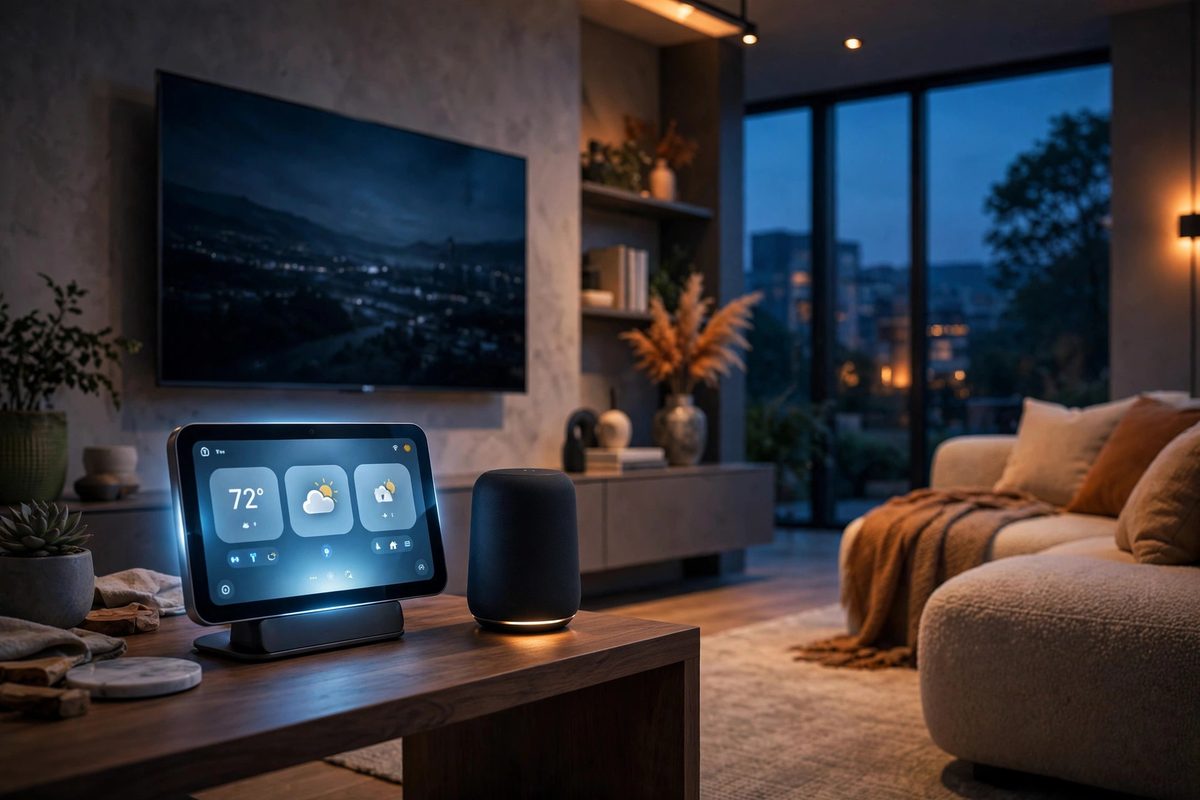
Apple’s October 2026 announcements shifted the spotlight away from phones and squarely onto the living room. At a “Welcome Home” press event in Tribeca, New York City, on Tuesday, October 13, 2026, Apple unveiled a full smart-home lineup: the brand-new Apple HomeView home hub, a fourth-generation Apple TV 4K, the HomePod mini 2, and the Apple Home Collection of cameras, locks, doorbells, and thermostats built with LG Electronics and Schneider Electric.
In this guide, we break down every product from the October 2026 Apple Announcements — prices, release dates, setup requirements, and who each device is really for. While the smartphone trends of 2026 have centered on foldables and AI photography, Apple’s message this month was unmistakable: the next battleground is the home.
What Apple’s October 2026 Announcements Covered
The October 2026 Apple Announcements were entirely about the smart home — no iPhone, no Mac, no iPad on stage. Apple framed the event as the start of a serious, multi-year push into home hardware and software. The headline products were:
- Apple HomeView — Apple’s first-ever home hub, a square 7-inch smart display priced at $299.
- Apple TV 4K (4th generation) — a $299 streaming box with the A19 chip and hands-free Siri AI.
- HomePod mini 2 — a $149 smart speaker with a glowing “Sound Glow” top, shipping October 30.
- Apple Home Collection — cameras, a smart deadbolt, a video doorbell, thermostats, and sensors, rolling out from December 2026.
- Pokémon Beats Pill — a special-edition speaker featuring Pikachu and Mimikyu.
Apple HomeView: Apple’s First Home Hub Explained
Apple HomeView is the product Apple fans have rumored for years: a dedicated smart display that anchors the company’s smart-home strategy. It is a square 7-inch Liquid Retina display designed to sit on a countertop or mount on a wall.
Think of HomeView as the visual command center for Apple Home. It shows camera feeds, controls lights and thermostats, handles video calls, plays music, and runs Siri AI — all without needing to pick up your phone. Both the countertop and wall-mounted versions cost $299, with the wall mount sold as a separate accessory.
HomeView runs on the A18 chip and supports Apple Intelligence, which puts it in the same performance class as recent iPhones. That matters, because on-device AI is what makes its face recognition and Siri features possible.
Apple HomeView Display, Design, and A18 Chip
The 7-inch square Liquid Retina display is the defining design choice. Most smart displays are landscape rectangles built for video; Apple’s square format signals that HomeView is primarily a control surface and information panel, not a tiny TV.
Two configurations ship at the same $299 price:
- Countertop version — a stand-based model for kitchens, desks, and bedside tables.
- Wall-mounted version — a flush-mount design for hallways and entryways, with the wall mount accessory sold separately.
Inside, the A18 chip delivers the processing headroom for Apple Intelligence features, face recognition for up to six household members, and smooth multitasking between camera views, media, and home controls.
Apple HomeView Price, Pre-orders, and Release Date
Pricing is simple: $299 for either the countertop or the wall-mounted version. The wall mount itself is an extra accessory, so budget a little above $299 if you want the flush wall installation.
- Pre-orders: opened October 13, 2026, the day of the announcements.
- Ships: Friday, November 13, 2026.
- Availability caveat: HomeView is not sold in the EU, at least at launch.
The November 13 ship date puts HomeView in stores just in time for the holiday season — a deliberate move, since smart-home gear is a classic holiday gift category.
Read More: Biggest Technology Trends Redefining 2026
Apple HomeView Apple Intelligence and Siri AI Features
Apple Intelligence is the software heart of HomeView. Because the display has an A18 chip, it can run Apple’s on-device AI models locally, which keeps voice requests fast and private.
Siri AI on HomeView is designed for the realities of a shared household device. It can distinguish between up to six recognized household members, so a request for “my calendar” or “my messages” pulls the right person’s data. It also handles the classic smart-display jobs: timers, weather, news briefings, music playback, and step-by-step recipes.
The practical advantage is reliability: many commands — lights, locks, cameras — run on-device, so they stay fast even when your internet connection is having a bad day.
Apple HomeView Face Recognition for Six Household Members
HomeView’s camera supports face recognition for up to six household members. When someone walks up to the display, it can identify them and switch to their personal context: their reminders, their music, their calendar.
This is the feature that separates a shared family display from a personal phone. A few things to know:
- Enrollment is per-person, and each member needs their own profile set up.
- Personal results — messages, calendar details — stay tied to the recognized individual.
- Guests without a profile get a neutral, non-personalized experience.
If you share a home with roommates or extended family, set expectations early about who gets enrolled and what personal data the display can surface when it recognizes a face.
Apple HomeView Matter Controller and Thread Border Router
For smart-home enthusiasts, the most important spec on the HomeView sheet is not the display — it is the radios and protocols. HomeView works as a Matter controller and a Thread Border Router, which makes it the backbone of a modern Apple smart home.
In plain terms:
- Matter controller means HomeView can directly manage Matter-certified accessories — lights, plugs, locks, sensors — regardless of brand.
- Thread Border Router means it bridges low-power Thread devices onto your home Wi-Fi network, extending range and reliability for battery-powered sensors.
Here is how the October 2026 lineup compares on smart-home plumbing, based on what Apple has confirmed so far:
| Device | Matter controller | Thread Border Router | Apple Intelligence / Siri AI |
|---|---|---|---|
| Apple HomeView | Yes | Yes | Yes, built in |
| Apple TV 4K (4th generation) | Not announced | Not announced | Hands-free Siri AI, yes |
| HomePod mini 2 | Not announced | Not announced | Coming in a future software update |
If you are buying into the Apple smart home, HomeView is the one device confirmed to anchor Matter and Thread accessories today.
Third-Party Apps on Apple HomeView
A smart display lives or dies by its apps, and Apple took an interesting route here. HomeView supports select third-party apps through the CarPlay app framework — the same framework developers already use to build CarPlay experiences.
What this means in practice:
- Media apps like Spotify work automatically. If a developer already supports the CarPlay app framework for media, their app should appear on HomeView with minimal extra work.
- Some apps need a compatible iPhone nearby. Certain experiences hand off processing or authentication to your phone, so keep your iPhone in range for the full feature set.
- Not every iPhone app will appear. Support is limited to apps built on the framework, so expect a curated selection at launch rather than the full App Store.
The CarPlay-framework approach is clever: it gives developers a familiar toolkit and gives HomeView a credible app catalog on day one, without Apple having to build a separate app platform from scratch.
Who Should Buy Apple HomeView?
HomeView is not for everyone, and Apple seems to know it. Here is an honest breakdown of who gets the most value from the October 2026 Apple Announcements’ flagship device.
HomeView is a strong fit if you:
- Already live in the Apple ecosystem, with an iPhone or iPad running iOS 27.2 or later.
- Own — or plan to buy — Matter or Thread smart-home accessories.
- Want a shared family display for the kitchen or hallway, with per-person profiles.
- Prefer on-device processing for privacy-sensitive features like face recognition.
Think twice if you:
- Live in the EU, where HomeView is not sold at launch.
- Use Android as your primary phone — setup requires an iPhone or iPad.
- Just want a video screen. The square 7-inch display is built for control, not movie nights.
Apple TV 4K 4th Generation: New Features Explained
The fourth-generation Apple TV 4K was the sleeper hit of the October 2026 Apple Announcements. It keeps the familiar compact black box design but upgrades nearly everything that matters: a faster chip, hands-free voice control, bigger multi-speaker audio, and a smarter remote.
Apple TV 4K A19 Chip and Hands-Free Siri AI
The A19 chip is the headline upgrade. It brings a major performance jump for gaming, faster app launches, and the headroom to run Siri AI features locally on the box.
The most visible change is hands-free Siri AI via far-field microphones. You no longer need to hold the remote’s voice button — just speak, and the Apple TV 4K hears you from across the room. That single change makes the box feel like a true smart-home device rather than a remote-dependent accessory.
Audio gets a serious upgrade too: the new Apple TV 4K supports up to four HomePods for surround sound. Pairing multiple HomePods around the room turns the streaming box into a legitimate home-theater system without a soundbar.
Apple TV 4K Price, Release Date, and Siri Remote Upgrades
The fourth-generation Apple TV 4K costs $299 — the same price as HomeView, which makes the “which $299 box do I need?” question very real for Apple households. It ships November 13, 2026, alongside HomeView.
The updated Siri Remote adds two genuinely useful features:
- Find My support — locate a lost remote from your iPhone, like AirTags for your couch cushions.
- Precision Finding — on-screen directional guidance that walks you to the remote’s exact spot.
If your household loses remotes the way it loses socks, this upgrade alone may justify the purchase.
HomePod mini 2: What Is New in 2026
The HomePod mini 2 is the most affordable entry point in the October 2026 Apple Announcements at $149. It keeps the compact spherical design while upgrading the internals and adding a signature new visual feature.
The headline upgrades are the S10 chip for faster Siri responses and better audio processing, plus the new “Sound Glow” LED top. It ships Friday, October 30, 2026 — two weeks before HomeView and the new Apple TV 4K.
HomePod mini 2 Sound Glow, S10 Chip, and Colors
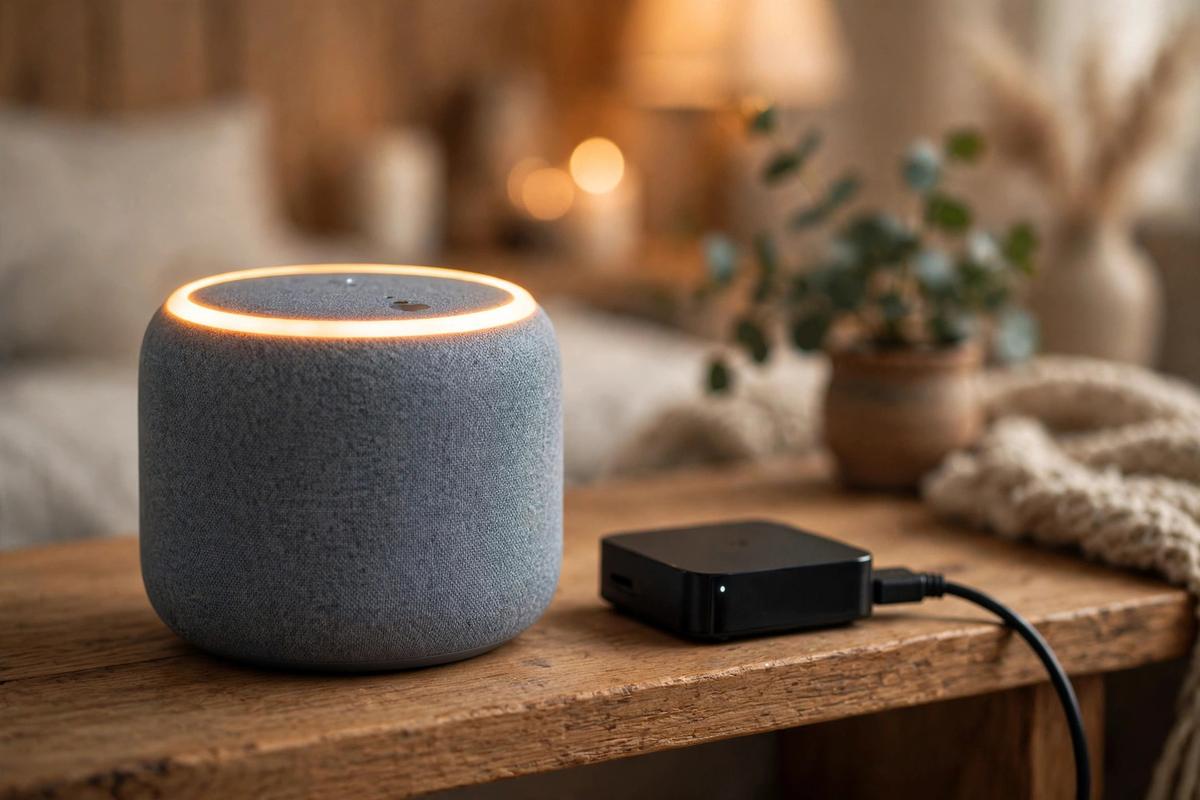
“Sound Glow” is the HomePod mini 2’s party trick: the LED top now syncs its lighting with album artwork. Playing a moody jazz record and a neon pop album produces visibly different glows, turning the speaker into a small piece of ambient decor.
Beyond the glow, the S10 chip improves on-device request handling and audio tuning. It is the same class of chip thinking Apple applies across wearables and home devices: do more locally, respond faster, and keep personal requests private.
Colors at launch:
- Pink
- Green
- Blue
- White
- Midnight
HomePod mini 2 Price and Release Date
At $149, the HomePod mini 2 holds the same price as the original mini — notable in a year when most tech hardware has crept upward. It is the cheapest way to put the new Apple smart home in a room.
- Price: $149
- Ships: Friday, October 30, 2026
- Colors: pink, green, blue, white, midnight
Because it ships two weeks before HomeView, early adopters can have the speaker in place and paired before the display arrives on November 13.
When Is Siri AI Coming to HomePod mini 2?
Here is the honest caveat on the HomePod mini 2: Siri AI does not ship on day one. Apple says the smarter Siri experience will arrive later via a future software update — and no date has been announced.
What this means for buyers:
- At launch, expect the current Siri experience, improved by the S10 chip’s speed.
- The full Siri AI upgrade comes free as a software update whenever Apple ships it.
- If next-generation Siri is your main reason to buy, consider waiting until the update lands.
This staggered rollout is worth factoring into any buying decision around the October 2026 Apple Announcements. The hardware is ready; the flagship software feature is not.
Apple Home Collection: Cameras, Deadbolt, Doorbell, Thermostats
The Apple Home Collection is Apple’s most surprising move: a full line of smart-home accessories built with LG Electronics and Schneider Electric. Instead of waiting for third parties to fill the HomeKit shelves, Apple is seeding the ecosystem itself.
Indoor and Outdoor Cameras
The indoor camera ($199.95) and outdoor camera ($299.95) anchor the lineup, with a floodlight camera at the top end ($399.95). Expect deep Home app integration — these are Apple-co-developed cameras, so setup and secure video should feel first-party.
Wired Video Doorbell
The wired video doorbell ($249.95) brings visitor video and two-way talk into the Home app. Pair it with HomeView’s display and the doorbell becomes genuinely useful: see and speak to visitors from the kitchen screen.
Smart Deadbolt
The smart deadbolt ($349.95) handles keyless entry with HomeKey-style phone and watch unlocking. For a household already carrying iPhones, the deadbolt may be the single highest-impact accessory in the collection.
Thermostats and Sensors
Thermostats ($199.95) and sensors (from $39.95) round out the line. The sensors are the cheapest entry point in the entire October 2026 Apple Announcements — an easy way to start automating a room for under forty dollars.
Apple Home Collection Prices and Regional Availability
Full price list for the Apple Home Collection:
- Sensors — from $39.95
- Indoor camera — $199.95
- Thermostats — $199.95
- Wired video doorbell — $249.95
- Outdoor camera — $299.95
- Smart deadbolt — $349.95
- Floodlight camera — $399.95
Availability rolls out in stages: the collection begins arriving in December 2026, with some items slipping to early 2027. Regionally, the line launches in the U.S. and Canada; cameras and the doorbell also come to the UK. No EU availability has been confirmed — consistent with HomeView skipping the EU at launch.
Pokémon Beats Pill Special Edition Explained
Apple also revealed a special-edition Pokémon Beats Pill speaker featuring Pikachu and Mimikyu designs. Confirmed details:
- Designs: Pikachu and Mimikyu editions.
- On sale: October 15, 2026.
- Availability: select countries only.
Special-edition Beats collaborations tend to sell through quickly, so collectors should check availability in their country on launch day rather than waiting.
What About the Foldable iPhone Duo?
You may have seen reports of a foldable iPhone Duo with pre-orders opening October 16 and deliveries starting October 23. To be clear: this was not part of the October 13 “Welcome Home” event, which was strictly a smart-home showcase.
The foldable iPhone story is separate context around these Apple Announcements — treat dates as reported rather than confirmed on stage. If a foldable iPhone is on your radar, keep it on a separate watchlist from the smart-home lineup covered in this guide.
Rumored Second Apple Event Around October 27
One more item belongs firmly in the rumor column: reports of a second Apple event around October 27, 2026, possibly featuring a touchscreen MacBook Pro and an OLED iPad mini. This comes from Bloomberg’s Mark Gurman and has not been confirmed by Apple.
Our guidance on rumors is simple:
- Do not delay a smart-home purchase waiting for an unconfirmed event.
- The October 13 announcements are real, priced, and dated — buy on those facts.
- If the rumored event materializes, it appears aimed at Macs and iPads, not the home lineup.
Apple Announcements October 2026: Full Comparison Table
Here is every major product from the October 2026 Apple Announcements side by side, so you can compare price, silicon, headline feature, and ship date at a glance:
| Product | Price | Chip | Headline feature | Ships |
|---|---|---|---|---|
| Apple HomeView | $299 | A18 | 7-inch Liquid Retina smart display with face recognition | November 13, 2026 |
| Apple TV 4K (4th generation) | $299 | A19 | Hands-free Siri AI, up to 4 HomePods for surround | November 13, 2026 |
| HomePod mini 2 | $149 | S10 | Sound Glow LED top, five colors | October 30, 2026 |
| Apple Home Collection | $39.95–$399.95 | — | Cameras, deadbolt, doorbell, thermostats, sensors | December 2026 onward |
Notice the pattern: the two $299 flagships (HomeView and Apple TV 4K) share a ship date, the $149 speaker lands two weeks earlier, and the accessory collection trails into December and early 2027.
How to Set Up Apple HomeView Step by Step
Setting up HomeView follows Apple’s familiar proximity-pairing model. The overall flow looks like this:
iPhone/iPad on iOS 27.2+ → power on HomeView → Home app setup → Wi-Fi + Apple Account sign-in → room assignment → face-profile enrollment → accessory pairing.
Step 1: Update Your iPhone or iPad to iOS 27.2 or Later
Setup requires an iPhone or iPad running iOS 27.2 or later. Update before you unbox — the Home app will refuse to pair HomeView on older software.
Step 2: Power On HomeView Near Your iPhone
Plug in HomeView and bring your iPhone close. The proximity prompt should appear automatically, just like pairing AirPods.
Step 3: Connect to Wi-Fi and Sign In
Join your home Wi-Fi network and sign in with your Apple Account. Use the 2.4 GHz or 5 GHz band your other smart-home gear lives on — consistency avoids discovery headaches later.
Step 4: Assign HomeView to a Room in the Home App
Give the display a room assignment (Kitchen, Hallway, Bedroom). Room accuracy matters: it drives automations like “turn off the kitchen lights” and keeps camera feeds organized.
Step 5: Enroll Up to Six Household Members
Each person enrolls their face for personalized results. Do this in good lighting, one person at a time, and confirm that personal requests like messages resolve to the right profile.
Step 6: Pair Matter and Thread Accessories
With HomeView acting as your Matter controller and Thread Border Router, add accessories through the Home app: Add Accessory → scan the Matter code → assign a room → test the device. Thread sensors should join through HomeView automatically once in range.
Apple Announcements 2026 Buying Guide: Pros, Limitations, and Verdict
Pros across the lineup:
- HomeView finally gives Apple households a true smart-home hub with Matter and Thread built in.
- On-device Apple Intelligence keeps voice and face features fast and private.
- The Apple TV 4K’s hands-free Siri and 4-HomePod surround make it a genuine home-theater upgrade.
- HomePod mini 2 holds the $149 price while adding the S10 chip and Sound Glow.
- The Home Collection seeds the ecosystem with first-party cameras, locks, and sensors.
Limitations to weigh:
- HomeView is not sold in the EU at launch, and setup demands iOS 27.2+.
- Siri AI on HomePod mini 2 arrives in a future update with no announced date.
- Third-party app support on HomeView is limited to the CarPlay app framework at launch.
- Home Collection items roll out through December into early 2027 — not everything is buyable on day one.
- Two $299 flagships shipping the same day forces a real “which box?” decision for Apple homes.
Verdict: if you are deep in the Apple ecosystem and want a smarter home, HomeView plus a HomePod mini 2 is the natural starter pair. If your priority is movie nights, the Apple TV 4K with hands-free Siri is the pick. Everyone else can reasonably wait for the Home Collection rollout and the HomePod mini 2’s Siri AI update before spending.
Troubleshooting Apple HomeView and Apple Home Issues
New platforms mean new quirks. Here are the most likely issues early HomeView owners will hit, and the fastest fixes.
HomeView Does Not Appear in the Home App
First, confirm your iPhone or iPad is on iOS 27.2 or later — older versions cannot see the device at all. Then check that both devices are on the same Wi-Fi network, and restart the HomeView by unplugging it for ten seconds.
Face Recognition Misses a Household Member
Re-enroll the person in bright, even lighting, facing the display directly. Hats, heavy glare, and extreme angles all reduce accuracy during enrollment. If one profile keeps failing, delete it and start that enrollment fresh.
A Matter Accessory Fails to Pair
Move the accessory closer to HomeView during pairing, since Thread onboarding is range-sensitive. If pairing still fails, reset the accessory to factory settings and scan its Matter code again from the Home app.
Siri AI Responses Feel Slow or Incomplete
On-device models need a stable network for anything that touches the cloud, like news or web answers. Test a local command (“turn off the kitchen lights”) to isolate the issue: if local commands are instant but cloud answers lag, the bottleneck is your internet connection, not HomeView. If you are new to the category, learning how a smart display differs from a plain smart speaker helps set the right expectations for what the screen adds.
Apple Announcements October 2026: Frequently Asked Questions
When did Apple hold its October 2026 announcements event?
Apple held the “Welcome Home” press event in Tribeca, New York City, on Tuesday, October 13, 2026. It focused entirely on smart-home products.
How much does Apple HomeView cost, and when does it ship?
HomeView costs $299 for either the countertop or wall-mounted version (the wall mount accessory is extra). Pre-orders opened October 13, 2026, and it ships Friday, November 13, 2026. It is not sold in the EU at launch.
Does Apple HomeView work with Spotify and other third-party apps?
Yes, within limits. HomeView supports select third-party apps through the CarPlay app framework — media apps like Spotify work automatically. Some apps need a compatible iPhone nearby to deliver their full experience.
What is new in the fourth-generation Apple TV 4K?
The A19 chip, hands-free Siri AI via far-field microphones, support for up to four HomePods in a surround setup, and an updated Siri Remote with Find My and Precision Finding. It costs $299 and ships November 13, 2026.
When is the HomePod mini 2 available, and what colors does it come in?
The HomePod mini 2 costs $149 and ships Friday, October 30, 2026. Launch colors are pink, green, blue, white, and midnight.
Will the HomePod mini 2 get Siri AI?
Yes, but not at launch. Apple says Siri AI arrives via a future software update, and no date has been announced.
Is a foldable iPhone Duo actually coming?
The foldable iPhone Duo was not announced at the October 13 event. Separate reports point to pre-orders around October 16 with deliveries from October 23, but treat those dates as reported — not confirmed on stage. Likewise, a rumored second Apple event around October 27 (touchscreen MacBook Pro, OLED iPad mini, per Bloomberg’s Mark Gurman) remains unconfirmed.
Conclusion: What Apple’s October 2026 Announcements Mean for Your Smart Home
The October 2026 Apple Announcements mark the moment Apple stopped dabbling in the smart home and committed to it. HomeView gives the ecosystem its long-missing hub, the Apple TV 4K becomes a true hands-free entertainment center, the HomePod mini 2 refreshes the affordable entry point, and the Apple Home Collection fills the accessory shelves with first-party hardware.
No lineup is perfect — the EU gap, the delayed Siri AI on the mini, and the staggered accessory rollout are real caveats. But for Apple households, the direction is clear: the home is now a first-class Apple platform.
