


OpenPhone stands out with unlimited messaging, shared team communication, and built-in contact management designed for small businesses. I ultimately chose it for my team because it was affordable, simple to set up, offered the features we needed, and worked with our existing devices without requiring additional hardware.
OpenPhone Pricing
OpenPhone keeps its pricing structure simple, with three main plans and only a few additional fees or optional add-ons.
- Starter: Starts at $15 per user per month.
- Business: Starts at $23 per user per month.
- Enterprise: Custom pricing based on your business needs.
The prices listed above are based on annual billing, which includes a 21% discount on the Starter plan and a 30% discount on the Business plan. Monthly billing is also available for businesses that prefer more flexibility. OpenPhone also offers a seven-day free trial, allowing you to test the platform before committing to a paid plan.
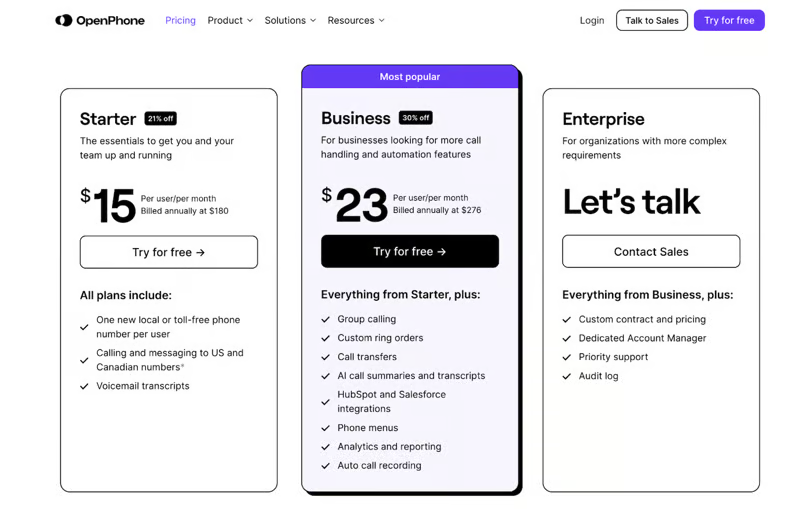
My team uses the Business plan. Although it costs a little more, it includes the tools needed to manage business calls effectively. In addition to the core calling features, the plan offers automatic call recording, AI-powered call summaries, and integrations with platforms such as HubSpot and Salesforce.
Businesses that use texting also need to pay a $19 one-time setup fee, along with a monthly messaging charge that typically ranges from $1.50 to $3. These fees are common across the industry, so they aren’t specific to OpenPhone.
Additional phone numbers are available for $5 per month. You can also automate messages through Zapier, with outgoing texts costing $0.01 each. International calls and messages are charged based on usage, with rates varying depending on the destination country.
OpenPhone’s Key Features
OpenPhone focuses on the essentials rather than packing its platform with an overwhelming number of features. It provides a reliable set of tools for small teams, including unlimited calling and messaging, shared phone numbers, contact management, and several useful AI-powered features.
Unlimited Calling and Messaging
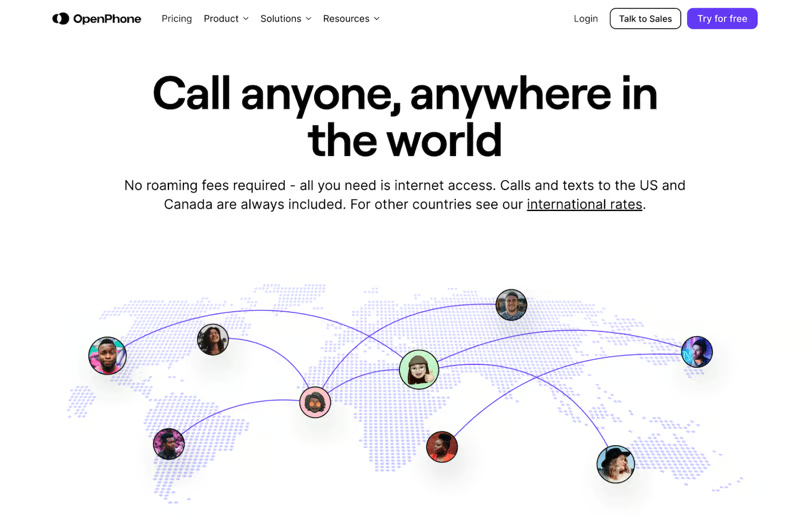
OpenPhone includes unlimited calls and text messages within the U.S. and Canada, making it a strong value for businesses that communicate frequently with customers.
Each user also receives a local or toll-free number, giving team members their own dedicated business line without requiring additional hardware.
The calling experience is relatively straightforward. You can make and receive calls, access voicemail transcription, and record calls manually, but more advanced calling features are reserved for higher-tier plans.
Upgrading unlocks additional capabilities such as interactive voice response (IVR) menus, group calling, call holds, warm transfers, and customizable ring orders.
Messaging is arguably where OpenPhone performs best. Teams can create automated text responses based on customer interactions and schedule outgoing messages in advance, making it easier to manage follow-ups and routine communication.
Shared Phone Numbers
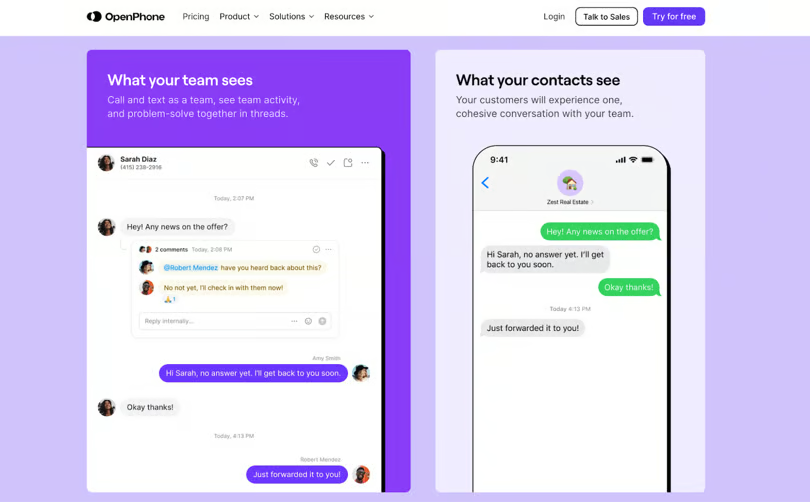
Sharing a business phone number across a team might seem unusual at first, but it can be especially useful for OpenPhone’s messaging features.
For example, imagine a support representative is helping a customer over text on Monday. If the customer responds the next day while that representative is away, another team member can open the same conversation and continue the discussion without starting over.
From the customer’s perspective, the experience remains seamless. They can continue using the same number and conversation thread without needing to know which team member is responding.
This shared-number approach makes it easier for teams to collaborate, respond faster, and maintain consistent customer support through text messaging.
AI-Suggested Message Responses
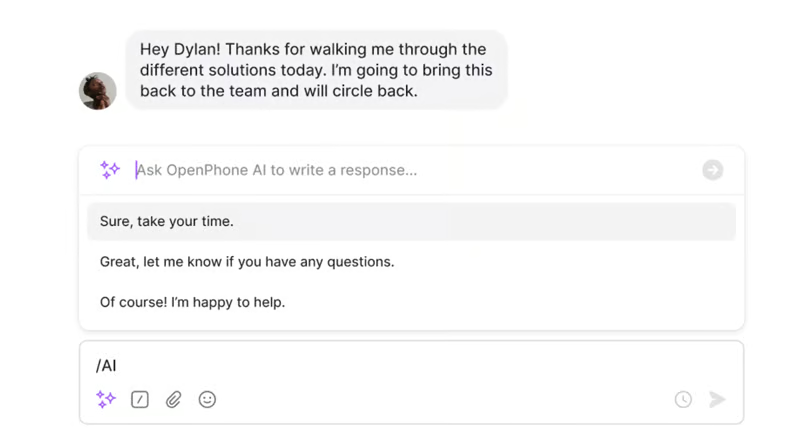
OpenPhone includes built-in AI that can automatically generate two or three suggested replies whenever your team receives an incoming message. This can save time by allowing users to select an appropriate response within seconds instead of writing every message from scratch.
The feature is available to all OpenPhone users, making AI assistance accessible even without upgrading to a higher-tier plan. It also reflects the platform’s effort to incorporate AI into everyday business communication and improve team productivity.
OpenPhone’s AI can also help create outbound messages. You can use the generated text as-is or customize it before sending, giving your team a faster starting point while still allowing you to adjust the message to match the situation.
Built-In Contact Management
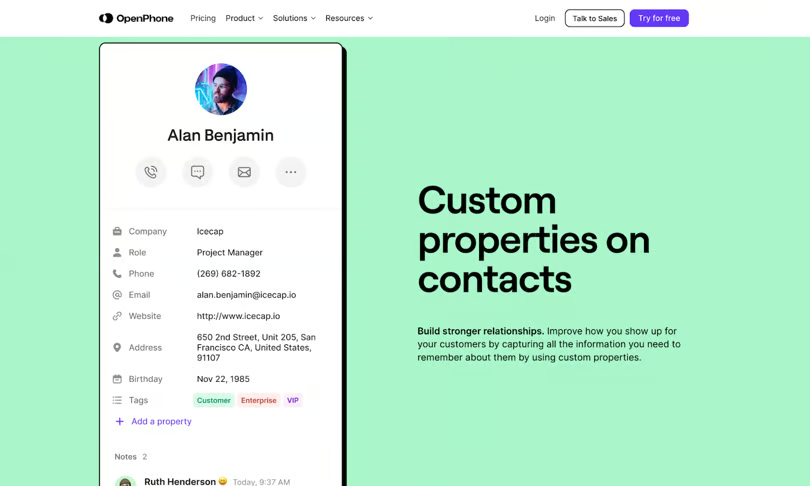
OpenPhone includes a lightweight contact management system directly within its platform. You can save contact details, notes, tags, and other relevant information in one place, making it accessible to everyone on your team. While it doesn’t offer the depth of a full-featured CRM, it works well for basic contact organization and management.
The system also helps prevent duplicate contacts when multiple team members use shared numbers. You can easily share contact details with colleagues without repeatedly copying information or entering it manually.
Contacts can be added directly to OpenPhone, imported through a CSV file, or synced with Google Contacts. For businesses that need deeper CRM connectivity, integrations with HubSpot, Salesforce, and Gong are available with select plans.
AI Call Summaries and Transcripts
OpenPhone provides AI-generated call summaries and full transcripts on its Business plan and higher tiers. These tools make it easier to review important details from a conversation without listening through an entire recording.
They can also help you stay focused during calls. Rather than constantly taking notes while trying to follow the discussion, you can concentrate on the conversation while OpenPhone’s AI captures the key points for you.
Call summaries can also be shared with team members who weren’t present. This allows them to quickly understand what was discussed and catch up without needing a lengthy explanation or a full replay of the call.
OpenPhone Pros and Cons
Pros
- Simple, intuitive, and user-friendly interface.
- Strong text messaging and communication features.
- Collaborative workspace designed for teams.
- Shared inboxes, contacts, and phone numbers.
- Rules-based triggers for creating basic automations.
- Lightweight setup for businesses that don’t need advanced features.
- Quick and straightforward implementation.
- Daily database backups.
- Reliable customer support.
- Seven-day free trial.
Cons
- Calling features are relatively basic compared with more advanced VoIP platforms.
- Analytics are limited to the two highest-tier plans.
- Limited scalability for larger or rapidly growing organizations.
- A relatively small selection of integrations.
- No API currently available, although one is reportedly in development.
Alternatives to OpenPhone
After evaluating dozens of business phone solutions, I ultimately chose OpenPhone for my team, and we continue to use it today. However, that doesn’t mean it’s the best fit for every business or communication setup.
Depending on your team size, budget, and required features, other platforms may offer a better overall experience. Here’s how OpenPhone compares with some of my top alternatives.
| OpenPhone | Nextiva | RingCentral | 8×8 | Dialpad | |
|---|---|---|---|---|---|
| Starting price | $15 per user per month | $28.95 per user per month | $20 per user per month | Custom quote | $15 per user per month |
| Free trial | 7 days | Demo only | 14 days | No | 14 days |
| Setup | Very easy | Easy | Complex | Complex | Easy |
| Mobile app | Great | Average | Great | Average | Good |
| Call routing | Average | Average | Advanced | Average | Advanced |
| Call recording | All plans | Top plan only | All plans | Call center only | All plans |
| Integrations | 6 + Zapier | 20+ | 300+ | 65+ | 70+ |
| AI features | Average | Average | Advanced | Basic | Advanced |
| Texting | Yes | Some plans | Yes | Yes | Yes |
| Video meetings | No | Yes | Yes | Yes | Yes |
| Team chat | No | Yes | Yes | Yes | Yes |
| Online fax | No | Yes | Some plans | Yes | + $10 per month |
Conclusion
OpenPhone is a strong choice for small teams that want a simple, affordable business phone system without complicated setup or additional hardware. Its unlimited messaging, shared numbers, contact management, and AI-powered tools make everyday communication easier, particularly for teams that rely heavily on texting.
However, businesses looking for advanced calling features, deeper analytics, extensive integrations, or greater scalability may find the platform limiting. Overall, OpenPhone offers good value for small businesses that prioritize simplicity and collaboration, but it’s worth comparing alternatives if your communication needs are more demanding.

2 Comments
Pingback: Google System Update 2026: What’s New for Android Users
Pingback: Best Laptops for Students 2026: Performance Meets Value