

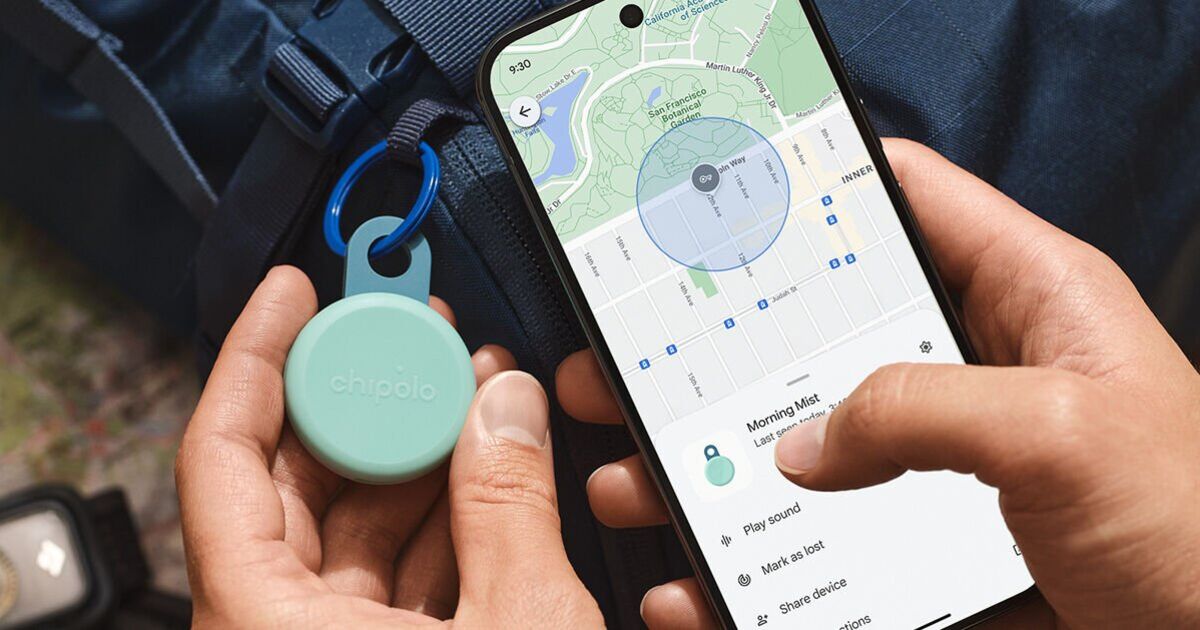
It only works with Samsung phones (officially), but the Galaxy SmartTag2 is the best option out there for all Android users.
Since June last year, I’ve been testing Bluetooth trackers with one goal in mind: finding the best AirTag alternative for Android. I wanted something reliable enough to compete with Apple’s tracker while working seamlessly with the Android phones we carry everywhere.
I’ve taken trackers through the streets of Paris, Milan, Antwerp, London, Lisbon, Tirana, Beirut, and Dubai, carrying several at once in my pockets. I’ve also sent them off in my husband’s backpack, packed them into checked luggage, and used multiple phones to test how well they could be located. Throughout the process, I kept comparing their performance against Apple’s AirTag as the benchmark.
I tested trackers from Tile, Pebblebee, Chipolo, Motorola, and Samsung in all kinds of environments, from crowded shopping malls to wide-open forests. After all that testing, one tracker stands out as the one I’d trust most.
If I were buying an Android tracker today and wanted something that works well right now—not a device that might become better after future updates—my pick would be the Samsung Galaxy SmartTag 2. Yes, it’s primarily designed for Samsung phones, although the uTag app can provide a workaround on some other Android devices. Still, that limitation is easy to accept when you consider its reliability, useful tracking tools, and the range of features Samsung has built into it. Here’s what makes it stand out.
Samsung’s Tracking Network Has Proven Its Reliability Time and Again
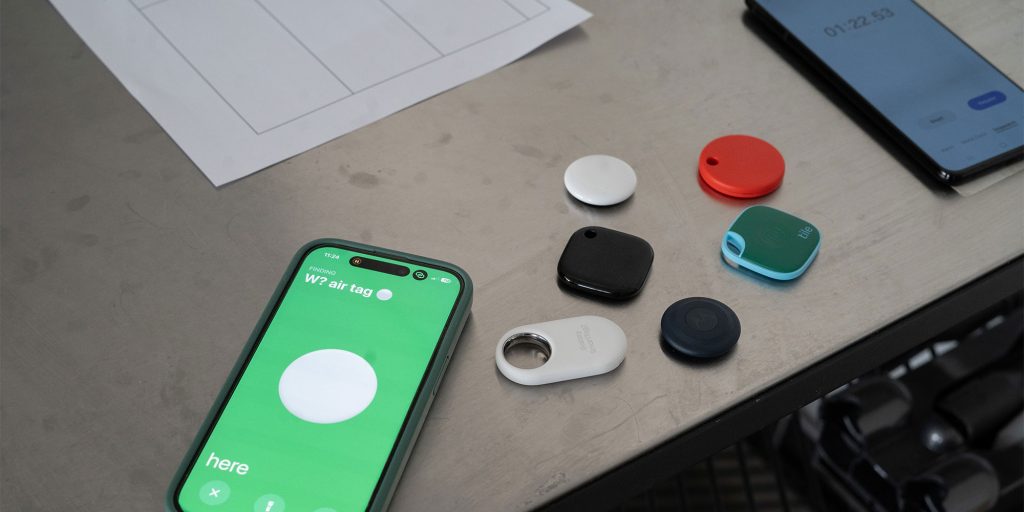
If you have a lot of free time to read about 10 different tests I did with all of these Bluetooth trackers, please go ahead. Otherwise, the short summary and a rating over 10 is found in this table:
| Apple AirTag | Samsung Galaxy SmartTag 2 | Tile Trackers | Google Find My Device trackers | |
| Test 1 – Airport luggage | 10 | 6 | 7 | 2 |
| Test 2 – Airplane luggage | 10 | 10 | 10 | 6 |
| Test 3 – Lost in Paris | 10 | 10 | 5 | 0 |
| Test 4 – Lost in Paris again | 0 | 10 | 5 | 10 |
| Test 5 – Unknown tracker alerts | 9 | 0 | 0 | 6 |
| Test 6 – Tracking a shared tag | 10 | 10 | 10 | 10 |
| Test 7 – Lost in Dragon Mart | 10 | 3 | – | 8 |
| Test 8 – Small town | 10 | 8 | 5 | 8 |
| Test 9 – Nearby, Bluetooth only | 10 | 7 | 10 | 0 |
| Test 10 – Left-behind reminders | 8 | 10 | 6 | 0 |
| AVERAGE | 8.70 | 7.40 | 6.44 | 5.00 |
Of all the tests I put my trackers through, Samsung’s Galaxy SmartTag 2 only showed a minor weakness at the crowded Dragon Mart mall in Dubai. Outside of that one partial failure—and across months of everyday use—it consistently impressed me with its accuracy and the speed at which it updated its location.
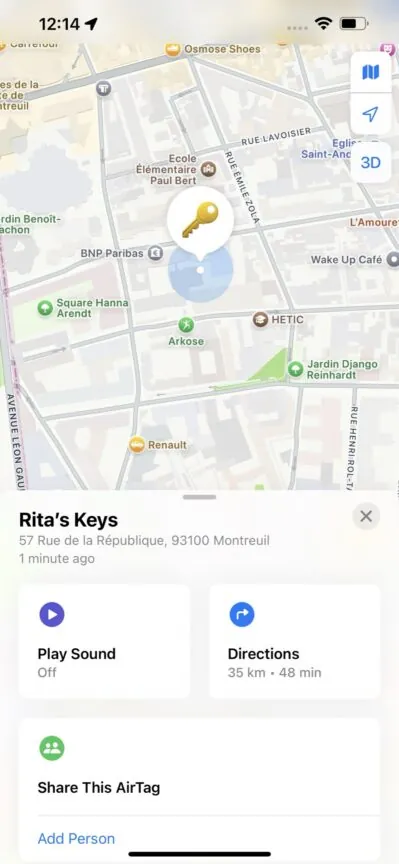
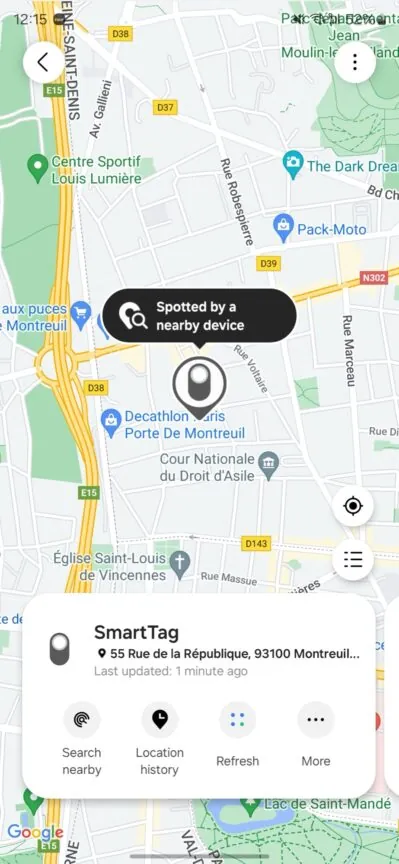
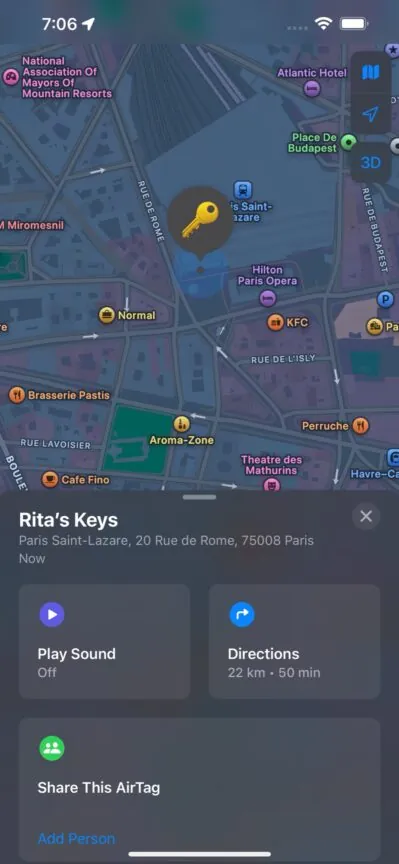
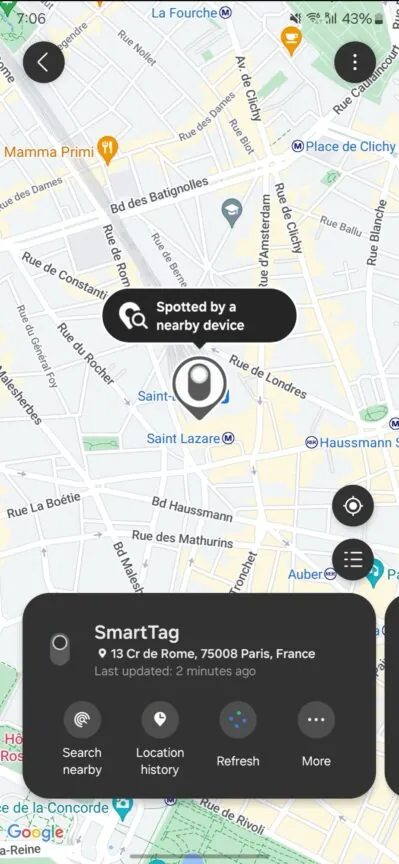
I’ve tracked my luggage through at least seven airports, from check-in to the moment I boarded the plane and then all the way to baggage claim at my destination. I also “lost” the tracker in my husband’s backpack—with his permission—and was able to follow its location through multiple stops, commutes, and entire workdays, even though he doesn’t use a Samsung phone.
I’ve also handed the tracker to friends while they went shopping in a small town and could tell when they left the local cheese shop to head back for dinner. Even when I placed it in a moving car with no Samsung phone inside, it continued to provide frequent location updates thanks to nearby Samsung devices passing by.
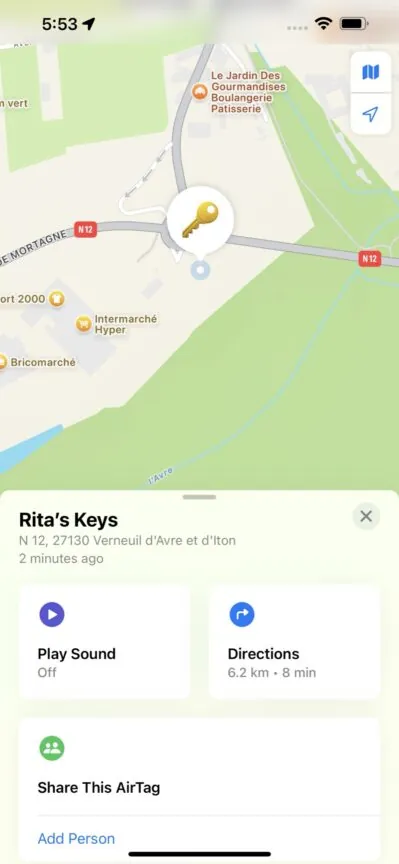
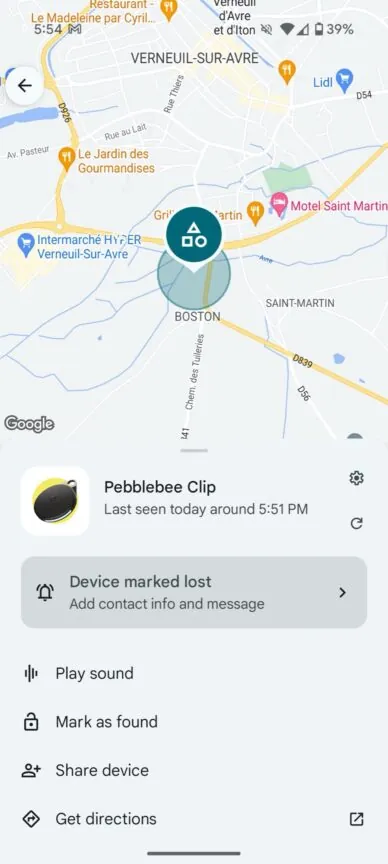
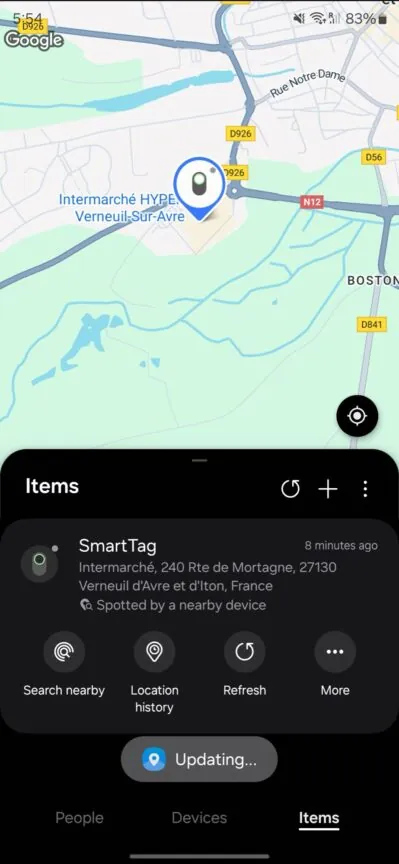
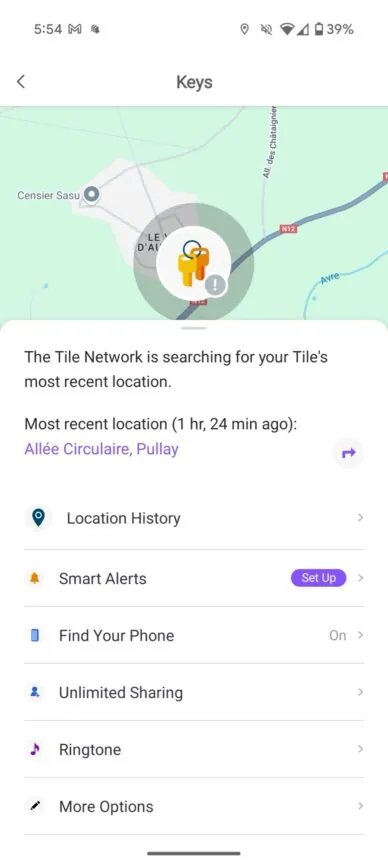
Tile’s network performs well in densely populated cities such as London and Paris, but its updates become much less frequent when I travel to smaller cities or less crowded areas. Google’s Find My Device network should theoretically be more reliable, given that it can use millions of Android 9.0 and newer devices, but my experience has been inconsistent at best.
To be fair, Google’s network has improved noticeably in recent months compared with the mess it was last year. Still, it isn’t reliable enough for me to recommend buying a tracker based on it—at least not yet. I’ve gone an entire day without receiving a single location update from Google-compatible trackers like Pebblebee, Chipolo, and Moto, even when someone carrying the tracker was using a Pixel phone configured to contribute to the network “in all areas.”
What’s even more frustrating is when the tracker is right next to my phone and Google still shows an outdated location. Seeing “Last seen: 12 hours ago” while the tracker is literally sitting in front of me is not exactly reassuring.
Samsung has clearly used its ubiquitous phone presence around the world to make sure its SmartThings Find network is as strong and as dependable as Apple.
Samsung’s Galaxy SmartTag 2 largely avoids these problems, with any occasional hiccups being rare enough to make little difference in everyday use. Its location updates are nearly as fast and accurate as those from Apple’s AirTag, which is impressive considering how robust Apple’s Find My network is.
Samsung has clearly taken advantage of the huge number of Galaxy phones in use around the world. Whether the tracker is moving through upscale neighborhoods in Paris or remote, unpaved roads in the Albanian mountains, SmartThings Find has proven remarkably capable of keeping up with Apple’s network in both speed and reliability.
Samsung’s tracker has more features than any competitor
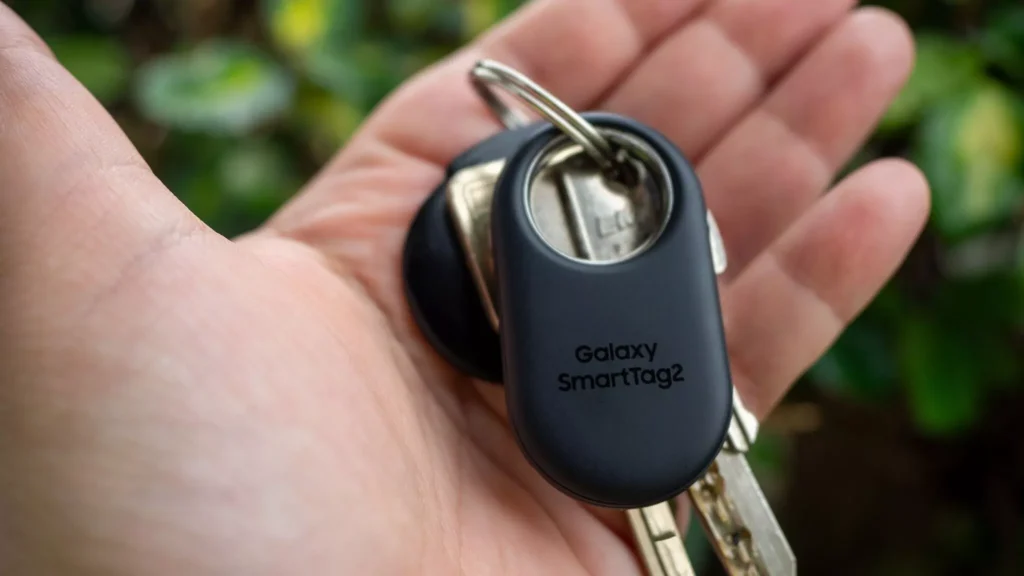
What impressed me most when I first started using the Samsung Galaxy SmartTag 2 in 2023 was just how many features Samsung managed to fit into such a small, straightforward device. Google’s trackers take a minimalist approach, Apple’s AirTag focuses on simplicity and efficiency, while Tile puts some of its advanced features behind a subscription. Samsung, on the other hand, seems to have included almost everything it could—and made it available without an extra fee.
The Galaxy SmartTag 2 supports Ultra-Wideband (UWB) and augmented reality, making it easier to locate a nearby tracker using your phone. It also provides free location history, a feature that Tile reserves for paying subscribers. You can customize the tracker’s ringtone and adjust its volume, too.
Its left-behind alerts are another useful addition. You can create safe locations so you won’t get an alert when you intentionally leave something behind at home, while still receiving a notification if you walk away from it somewhere like an airport.
The SmartTag 2 can also do more than just track your belongings. Its physical button can be used to locate your phone or trigger smart-home routines. I’ve configured mine to control my lights, allowing me to turn them on when I arrive home and switch them off when I head out.

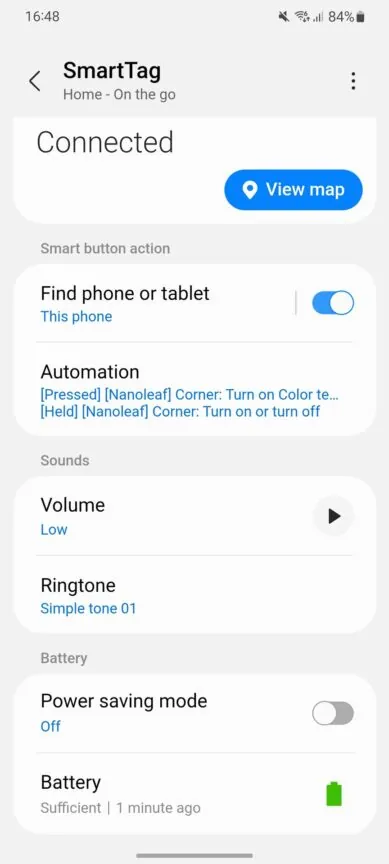
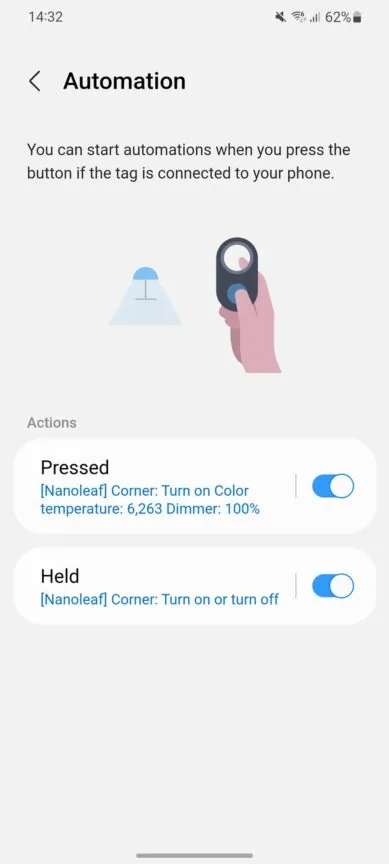
I’ve outlined the key differences between these trackers in the table below, but the bottom line is simple: no other tracker combines this many features and options in a single device.
| Samsung Galaxy SmartTag 2 | Apple AirTag | Tile trackers | Google Find My Device trackers | |
| Nearby find | Yes, UWB + AR | Yes, UWB | Yes, Bluetooth only | Yes, Bluetooth only (for now) |
| Remote find | Yes (Samsung SmartThings Find network) | Yes (Apple Find My network) | Yes (Tile and Life360 users) | Yes (All Android 9.0+ users) |
| Notify when found | Yes | Yes | Yes | Yes |
| Location history | Yes | No | Yes (paid) | No |
| Encrypted location | Yes (enabled manually) | Yes (by default) | Yes (by default) | Yes (by default) |
| Left behind alerts | Yes + safe place | Yes + safe place | Yes + safe place (paid) | No |
| Share with other users | Yes | Yes | Yes (one person free, more paid) | Yes |
| Ring phone from tracker | Yes | No | Yes | No (Moto Tag offers it separately) |
| Customizable ringtones | Yes | No | Yes | No (Moto Tag offers it separately) |
| Customizable volume | Yes | No | Yes | No |
| Unknown tracker alert | Yes (enabled manually, Samsung SmartThings users only) | Yes (enabled by default, iOS and Android devices) | Yes, manual scan only | Yes (enabled by default, iOS and Android devices) |
| Voice assistant compatibility | Bixby | Siri | Google Assistant and Amazon Alexa | – |
| Other | Button for smart home automations | – | – | Proximity to Nest speakers and hubs |
The Galaxy SmartTag2 doesn’t “necessarily” need a Samsung phone
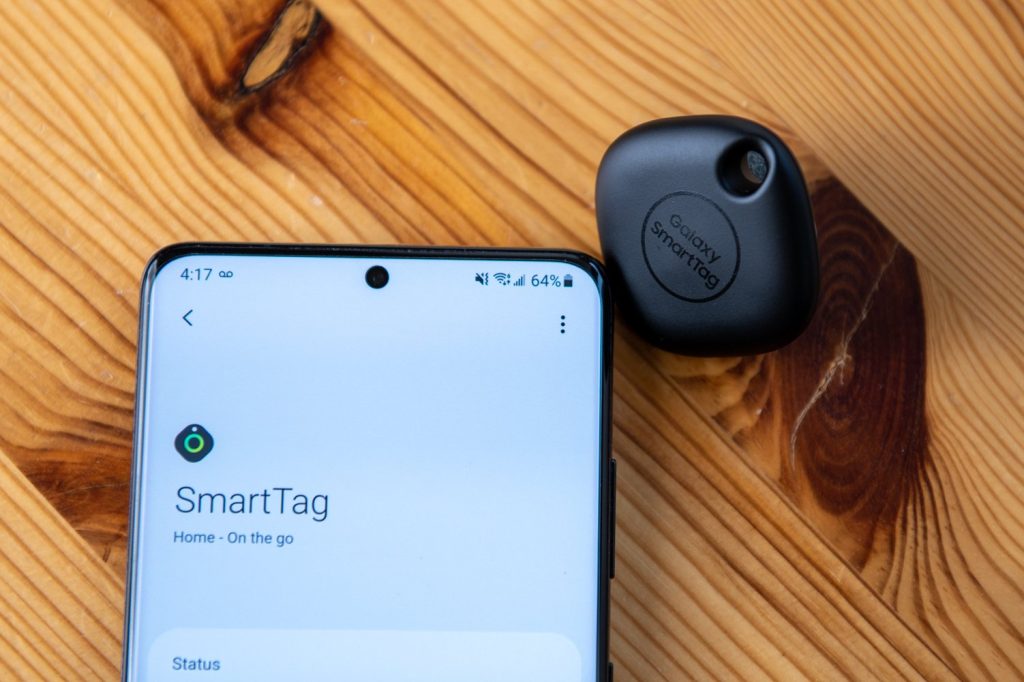
I’m not necessarily recommending unofficial workarounds to get Samsung’s tracker running on a non-Galaxy phone, but if you really want access to Samsung’s reliable tracking network without owning a Galaxy smartphone, there is another option.
My friend Kieron Quinn, who has spent years reverse-engineering proprietary apps and adapting them to devices they weren’t originally designed to support, has developed a solution for the Galaxy SmartTag 2 as well. His uTag app has allowed me to monitor my tracker from both a Pixel 9 Pro and Pixel 9 Pro Fold without needing to carry my Galaxy S24 Ultra.
It’s definitely an unofficial workaround, and I’d still prefer Samsung to remove this artificial restriction altogether. That said, in my testing, it works surprisingly well and provides a practical way for non-Galaxy users to take advantage of Samsung’s tracking network.
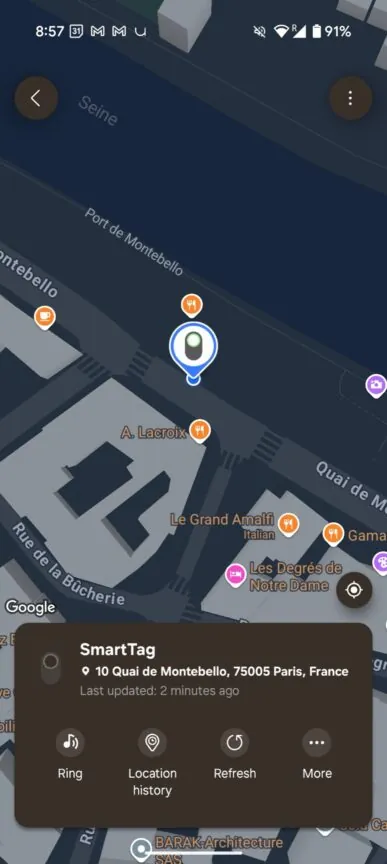
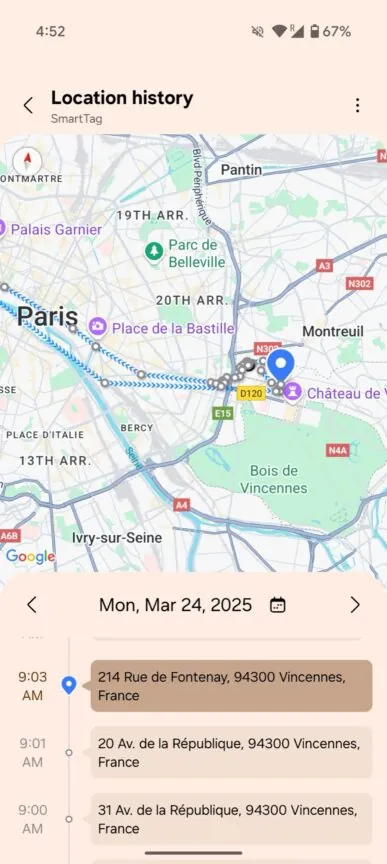
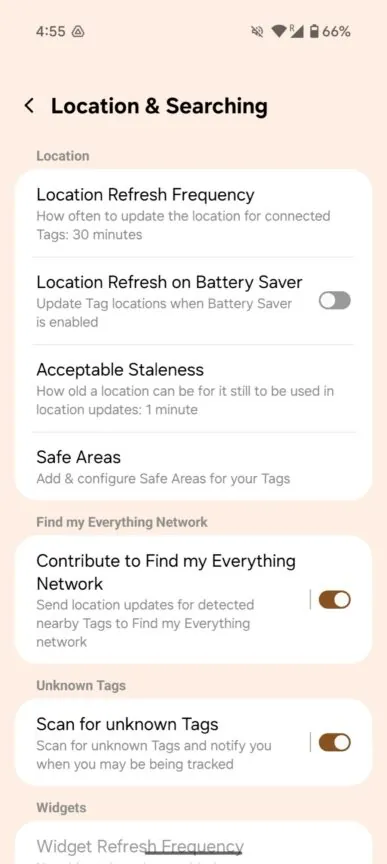
With uTag, I’ve been able to manage my SmartTag 2 remotely, including tracking its location, making it ring, triggering my phone to ring, viewing location history, and more. Even UWB works through the uTag app on my Pixel 9 Pro, allowing me to locate the Galaxy SmartTag 2 with greater precision—something Google’s certified trackers still don’t support on Pixel phones or other Android devices.
What impressed me even more was the firmware support. When Samsung released a new firmware update for the SmartTag 2, I was able to download and install it directly through uTag, without needing a Galaxy phone at all.
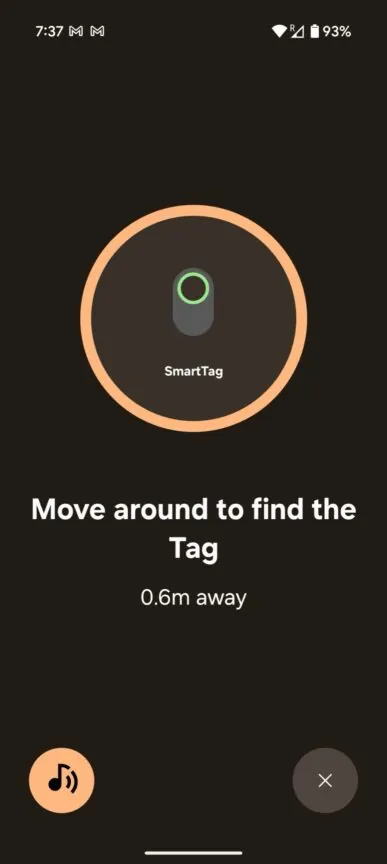
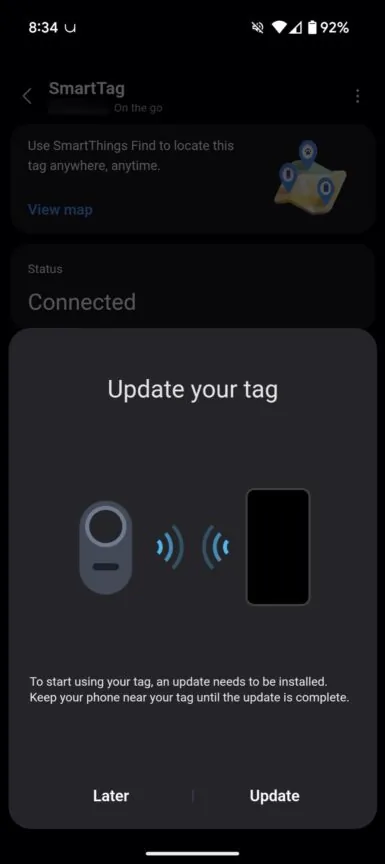
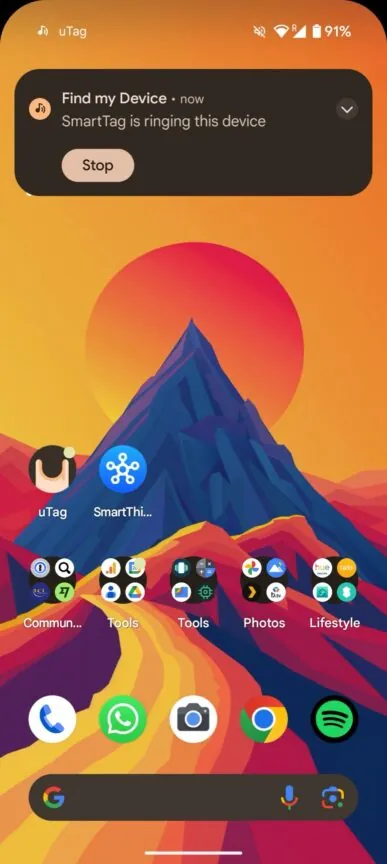
In practice, uTag replicates nearly all of the functionality offered by Samsung’s official app. The trade-off is that it relies on a modified version of SmartThings, requires you to sign in with your Samsung account, and needs access to your location. It also syncs with the location data associated with your Samsung account, allowing it to keep updating in the background.
I trust Kieron, and the fact that uTag is open source makes the setup more transparent for anyone who wants to inspect how it works. Still, I wouldn’t call it a perfect solution. It’s an unofficial workaround, and that comes with some obvious privacy and security considerations that you should weigh before using it.
Today, right now, nothing beats the Samsung Galaxy SmartTag2 on Android.
Even with that limitation, there’s still no other Android tracker I’d recommend today. A Tile can make sense if you live in a busy U.S. city or one of the select countries where Tile has a strong presence, but keep in mind that its tracking performance can drop significantly once you move outside those areas.
You could also choose a Google-compatible tracker in the hope that its features and Find My Device network will improve over time. But if you want the most reliable Android tracker right now, the choice is clear: nothing beats the Galaxy SmartTag 2.
Frequently Asked Questions
Is the Samsung Galaxy SmartTag 2 the best tracker for Android?
For Samsung users, the Galaxy SmartTag 2 is one of the most reliable Android trackers available. Its strong SmartThings Find network, accurate location updates, and useful features make it a standout option.
Does the Galaxy SmartTag 2 work with non-Samsung phones?
The SmartTag 2 is officially designed for Samsung Galaxy devices. However, apps such as uTag can provide an unofficial workaround for using the tracker with some non-Samsung Android phones.
How accurate is the Galaxy SmartTag 2?
The SmartTag 2 can provide highly accurate location information, particularly when using Ultra-Wideband (UWB) on compatible Galaxy phones. Its network also delivers frequent updates when other Samsung devices are nearby.
Does the Galaxy SmartTag 2 require a subscription?
No. Samsung provides many of the SmartTag 2’s key tracking features without requiring a paid subscription, including location history and several customization options.
Can the Galaxy SmartTag 2 track luggage?
Yes. The SmartTag 2 can be useful for tracking luggage during travel. Its network can provide location updates when the tag comes within range of compatible Samsung devices.
Is the Galaxy SmartTag 2 better than Tile or Google-compatible trackers?
Based on the testing described in this article, the SmartTag 2 offers the best overall combination of reliability, features, and network performance for Android users. Tile can perform well in certain locations, while Google’s network still has room to improve.
Conclusion
After months of testing Bluetooth trackers across different cities, airports, crowded spaces, and everyday situations, the Samsung Galaxy SmartTag 2 stands out as the most reliable option for Android users. Its SmartThings Find network consistently delivered fast and accurate location updates, while features such as UWB, location history, customizable alerts, and smart-home controls give it an advantage over many competing trackers.
The biggest limitation is its official compatibility with Samsung Galaxy phones. Non-Samsung users can turn to unofficial solutions like uTag, but that comes with its own trade-offs. Still, if you use a Galaxy phone and want a tracker that works reliably right now, the Galaxy SmartTag 2 is the clear choice.

2 Comments
Pingback: Latest Technology News 2026: Biggest Tech Updates This Month
Pingback: Best Laptops for Students 2026: Performance Meets Value