

Windows Updates 2026 bring a mix of security improvements, bug fixes, feature changes, and hardware-focused updates to Windows 11. Microsoft is also changing how some updates are delivered, while newer PCs are receiving the Windows 11 version 26H1 release.
For users, the biggest questions are simple: What changed, which Windows versions are supported, what problems have been fixed, and should you install the latest update? This guide explains the major Windows Updates 2026 changes and what they mean for everyday Windows 11 users.
What Are Windows Updates 2026?
Windows Updates 2026 refer to the cumulative security updates, optional preview updates, feature updates, and servicing changes Microsoft is releasing for Windows during 2026.
These updates serve several purposes:
- Fix security vulnerabilities
- Resolve known bugs
- Improve system reliability
- Support newer hardware
- Introduce selected Windows features
- Improve update installation
- Address compatibility problems
- Maintain Windows servicing and support
Microsoft continues to release monthly cumulative updates, while feature availability can depend on the Windows version, device hardware, edition, and region.
Read More: AI Data Centers Explained: Why Big Tech Is Spending Billions
Windows 11 Version 26H1 Arrives for New Devices
One of the most important Windows changes in 2026 is Windows 11 version 26H1.
Microsoft describes 26H1 as a release designed to support device innovations expected in 2026, including newer silicon, performance improvements, and longer battery life. However, it is important to understand that 26H1 is not a normal feature upgrade for existing Windows 11 PCs.
Microsoft says Windows 11 version 26H1 is available only on new devices with selected new silicon. Existing Windows 11 devices are not offered an upgrade to 26H1 through Windows Update, and it cannot be installed as an in-place upgrade on those PCs.
This distinction matters because users may see references to Windows 11 26H1 and assume their current PC should receive it automatically.
How to Check Your Windows Version
You can check your Windows version directly from Windows:
- Open Settings.
- Select System.
- Select About.
- Look under Windows specifications.
- Check the version number.
You can also type winver into Windows Search and press Enter. Microsoft provides both methods for checking the installed version.
Major Windows Updates 2026 Changes
The 2026 updates include more than a single feature release. Microsoft has also introduced changes to security, servicing, system behavior, and individual Windows features.
Fewer Restarts for Some Updates
Microsoft has been working to reduce the number of restarts required for Windows updates.
A 2026 update change allows eligible updates to be installed together with the monthly security update when possible. Microsoft says this can reduce the number of restarts needed to keep a device updated.
This is particularly useful for people who use their computers throughout the day because repeated update interruptions can be inconvenient.
Critical or expedited updates can still install separately when necessary.
Secure Boot Certificate Updates
Another important Windows 2026 change involves Secure Boot certificates.
Microsoft has been updating certificates because Secure Boot certificates used by many Windows devices began reaching expiration starting in June 2026. Microsoft says updated certificates are being delivered through Windows Update, and devices that have not yet received the newer certificates can continue to start and receive standard Windows updates.
Why Secure Boot Matters
Secure Boot is designed to help protect the startup process by allowing trusted software to load during boot.
For most users, the certificate transition should happen through Microsoft’s update process rather than requiring manual intervention.
However, keeping Windows updated is particularly important during this transition.
Windows 11 24H2 Support Changes
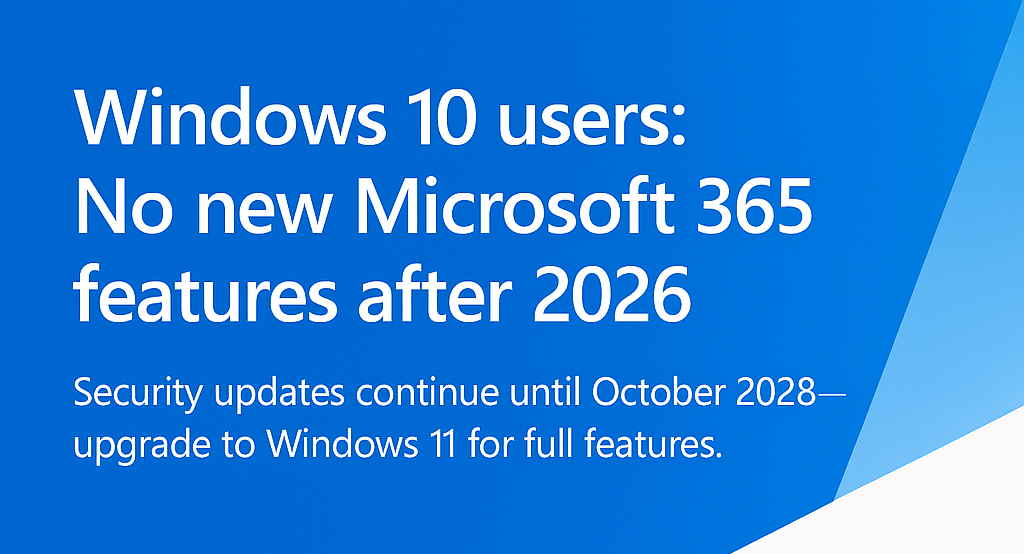
Windows 11 version 24H2 remains an important version in 2026, but its support timeline depends on the Windows edition.
Microsoft states that Windows 11 24H2 Home and Pro editions reach end of updates on October 13, 2026. After that date, those editions will no longer receive regular fixes, security protections through monthly updates, time-zone updates, or technical support for that version.
Enterprise and Education editions have a longer support period, with Microsoft listing October 12, 2027 as their end date.
This makes checking your Windows version especially important during 2026.
Important Bug Fixes in Windows Updates 2026
Monthly Windows updates continue to address specific bugs and system problems.
One example is a DISM issue affecting some Windows 11 24H2 devices. Microsoft reported that the problem could cause the DISM /RestoreHealth command to fail with error 0x800f0915, preventing successful component-store repair operations. A subsequent update addressed the issue.
Windows updates have also addressed other problems affecting applications, file management, and system behavior.
Because fixes can vary by Windows version and update, users should check the release notes for their specific build instead of assuming every fix applies to every PC.
Changes to Windows Features
Windows Updates 2026 are also changing or removing certain experiences.
For example, Microsoft announced the removal of the Drop Tray experience, previously called Drag Tray, from devices where it was available. The related setting under Settings > System > Multitasking was also removed. Microsoft said it would continue evaluating the experience and exploring future improvements.
This illustrates an important part of Windows development: not every experimental feature becomes a permanent part of the operating system.
Picture Password Changes
Windows 2026 updates also changed how picture passwords can be used.
Microsoft announced that picture password is no longer available for new enrollment as part of a security-related change. Users who already configured a picture password can continue using it, but if it is removed, disabled, or was never configured, it cannot be set up again.
Microsoft recommends Windows Hello PIN, facial recognition, or fingerprint recognition where available.
For users setting up Windows on a new PC, Windows Hello is therefore becoming the more relevant sign-in option.
Are Windows Updates 2026 Mostly Security Updates?
No.
Security remains one of the most important purposes of monthly Windows updates, but updates can also include:
- Bug fixes
- Reliability improvements
- Compatibility changes
- Feature adjustments
- Servicing improvements
- Hardware support
- Performance-related changes
- Changes to Windows experiences
Microsoft’s August 2026 update for Windows 11 version 26H1, for example, includes security fixes and improvements as well as non-security updates from the previous optional preview release.
Windows 11 26H1 vs Windows 11 24H2
Understanding the difference between these versions is useful when reading Windows update news.
| Feature | Windows 11 24H2 | Windows 11 26H1 |
|---|---|---|
| Availability | Existing supported PCs | Selected new devices |
| 2026 relevance | Major supported version | Hardware-focused release |
| Offered to existing PCs through Windows Update | Yes, depending on eligibility/support | No |
| Designed around new silicon | Not specifically | Yes |
| Security updates | Yes while supported | Yes |
| In-place upgrade from earlier Windows 11 | Supported scenarios vary | Not offered for existing devices |
The key takeaway is that 26H1 should not be treated as a standard successor that every existing Windows 11 computer must install. Microsoft specifically limits it to new devices with selected hardware.
How to Install the Latest Windows Update
For most users, the simplest method is Windows Update.
Step 1: Open Settings
Press Windows + I to open Settings.
Step 2: Open Windows Update
Select Windows Update from the Settings menu.
Step 3: Check for Updates
Select Check for updates.
Windows will check Microsoft’s update service for updates available to your device.
Step 4: Install Available Updates
If an update is available, follow the instructions shown on screen.
Step 5: Restart if Required
Some updates require a restart to complete installation.
Because update availability can depend on the device and Windows version, two PCs running Windows 11 may not necessarily receive exactly the same update at the same time.
Should You Install Windows Updates in 2026?
For most users, keeping Windows updated is recommended.
Security updates are particularly important because they provide protections against known security problems. Microsoft also uses cumulative updates to deliver fixes and improvements.
Before installing a major feature or version change, however, it is sensible to:
- Back up important files
- Save your current work
- Make sure your laptop is connected to power
- Check available storage
- Review known issues for your Windows version
- Avoid interrupting the update process
Regular backups are useful regardless of Windows updates because they provide protection if something unexpected happens.
What If Windows Update Is Not Working?
If Windows Update is stuck or repeatedly fails, first identify the exact update and error code.
Useful checks include:
- Restart the computer.
- Check your internet connection.
- Make sure there is sufficient storage.
- Run Windows Update again.
- Check Microsoft’s release notes for the specific KB number.
- Look for a known issue affecting your Windows version.
Do not immediately assume that manually downloading a random update package will solve the problem. Windows updates are version-specific, and installing an incompatible package can create additional problems.
How to Find Your Windows Build Number
Knowing your Windows build makes troubleshooting much easier.
The quickest method is:
- Press Windows + R.
- Type winver.
- Press Enter.
A window will show your Windows version and OS build.
You can also go to:
Settings → System → About → Windows specifications
Microsoft recommends checking the version information before troubleshooting or determining whether a particular update applies to your device.
What Windows Users Should Watch in 2026
Several areas deserve attention throughout the year.
Windows 11 version support
Users should know when their particular Windows edition reaches the end of support.
Security updates
Monthly security updates remain essential for keeping supported systems protected.
Hardware compatibility
New Windows releases can be closely connected to newer processors and device designs.
AI features
Microsoft continues positioning Windows as a platform for AI-powered capabilities, although specific features can depend on the device and configuration. Microsoft’s current Windows documentation notes that AI features and availability can vary by device and market.
Feature removals
Microsoft may remove experimental or legacy features as Windows evolves.
Windows Updates 2026: What Users Should Do
A simple update strategy can help avoid unnecessary problems.
Keep supported Windows versions updated
Do not postpone important security updates indefinitely.
Know your Windows version
Use waver or the About page to identify your exact version and build.
Check Microsoft’s release notes
If an update causes a problem, the official KB article is often the best place to look for known issues and resolutions.
Back up important files
A backup is valuable before major system changes.
Do not force unsupported upgrades
If Microsoft does not offer a particular Windows version to your device, there may be a hardware or servicing reason.
Pay attention to end-of-support dates
Windows 11 24H2 Home and Pro users should be particularly aware of the October 13, 2026 support deadline.
Frequently Asked Questions
What is the latest Windows version in 2026?
Windows has multiple supported versions and releases rather than one universal version for every PC. Windows 11 version 26H1 is available on selected new devices with specific newer silicon, while existing PCs may remain on other supported Windows 11 releases.
What is new in Windows 11 26H1?
Windows 11 26H1 is designed for device innovations expected in 2026, including support for newer silicon, performance improvements, and longer battery life. It is intended for selected new devices rather than existing PCs as a normal upgrade.
When does Windows 11 24H2 support end?
For Windows 11 24H2 Home and Pro editions, Microsoft lists October 13, 2026 as the end of updates. Enterprise and Education editions are supported until October 12, 2027.
Are Windows updates in 2026 safe to install?
Windows updates are released to provide security fixes, bug fixes, and improvements. However, individual updates can sometimes have known issues. Checking the Microsoft release notes for your specific version before troubleshooting an update-related problem is a sensible approach.
How do I check which Windows update I have?
Open Settings → System → About and look under Windows specifications. You can also press Windows + R, type winver, and press Enter.
Why is my PC not getting Windows 11 26H1?
Microsoft says Windows 11 26H1 is available only on new devices with selected new silicon. Existing Windows 11 PCs are not offered 26H1 through Windows Update as an in-place upgrade.
Do Windows updates require a restart?
Some updates require a restart, but Microsoft has introduced changes intended to reduce the number of restarts required by installing eligible updates together with the monthly security update when possible.
Conclusion
Windows Updates 2026 are focused on security, reliability, hardware support, bug fixes, and gradual changes to the Windows experience. Windows 11 version 26H1 is particularly notable because it targets selected new hardware rather than serving as a conventional upgrade for existing PCs.

1 Comment
Pingback: Smartphone Trends 2026: What Is Changing and Why It Matters