

AI search engines vs google are changing how people find information online. Instead of simply returning a page of links, they can interpret a question, search multiple sources, summarize information, and present a conversational answer. Google is also moving in this direction with AI Overviews and AI Mode, making the difference between traditional search and AI-powered search less obvious than it once was.
Understanding AI Search Engines vs Google means looking beyond the interface. The real differences involve how queries are processed, how information is presented, how sources are discovered, how users interact with results, and when each approach works best. This guide explains those differences and shows which option to choose for different types of searches.
What Is a Traditional Search Engine?
A traditional search engine primarily helps users discover webpages and other online resources.
When you enter a query into a conventional search system, it generally:
- Interprets the query.
- Searches its index.
- Ranks potentially relevant results.
- Displays links, snippets, images, videos, maps, or other results.
- Lets you decide which source to open.
Google Search has historically been built around this discovery model.
For example, if you search:
“best laptops for students”
you may receive shopping results, reviews, product pages, videos, and other webpages.
The search engine helps you find information, but you traditionally do more of the reading, comparison, and evaluation yourself.
However, Google Search is no longer purely a traditional link-based search engine.
Google has added AI Overviews and AI Mode, which provide generated answers and conversational follow-up capabilities within Search. Google said in 2026 that AI Mode was being expanded with more advanced AI capabilities and agentic features.
Read More: How to Use AI at Work Without Exposing Sensitive Data
What Is an AI Search Engine?
An AI search engine combines web search with generative AI.
Instead of primarily showing a list of links, it attempts to understand the meaning behind a question and produce a synthesized response.
A typical AI-powered search process may involve:
Question → Web search → Source selection → Information extraction → AI synthesis → Answer with sources
Perplexity describes itself as an answer engine that searches the web, identifies sources, and synthesizes information into direct answers with citations.
This makes AI search particularly useful for questions that would otherwise require opening several webpages.
For example, instead of searching:
“iPhone 17 vs Samsung Galaxy S26 camera battery display”
you could ask an AI search engine:
“Compare the iPhone 17 and Galaxy S26 for camera quality, battery life, display, and value for money.”
The system can attempt to organize the relevant information into a comparison.
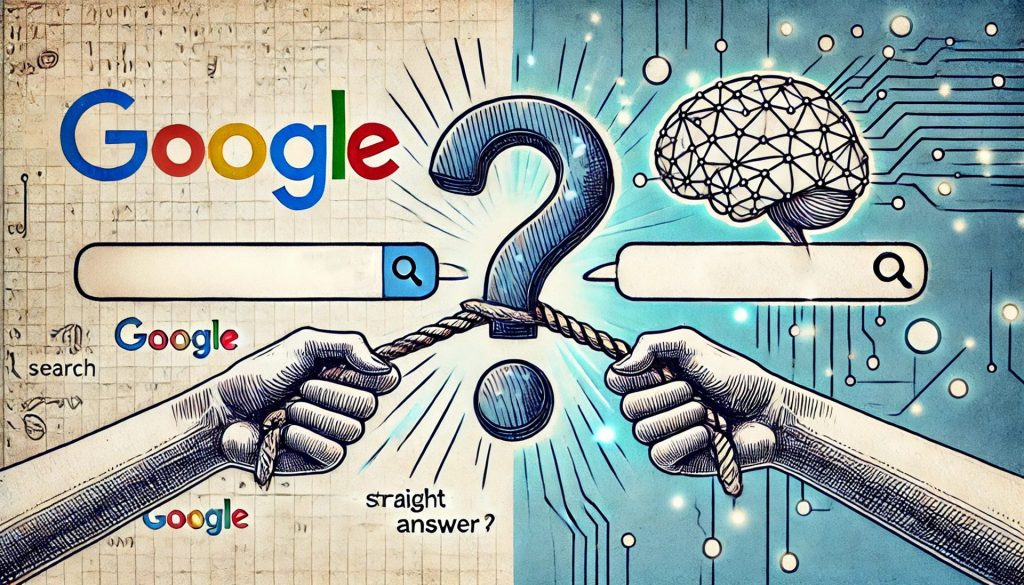
AI Search Engines vs Google: Key Differences
The biggest difference is how the information is delivered.
| Feature | Traditional Google Search | AI Search Engines |
|---|---|---|
| Main output | Links and search results | Synthesized answers |
| Query style | Keywords or questions | Natural-language questions |
| Research process | User visits multiple sources | AI can summarize multiple sources |
| Follow-up questions | Separate searches or AI features | Conversational follow-ups |
| Source discovery | Strong | Strong, depending on tool |
| Direct answers | Increasingly common | Core experience |
| Source verification | User opens results | Citations can be provided |
| Complex questions | Requires more research | Often easier to explore |
| Fresh information | Search-based | Usually web-grounded when search is enabled |
| User control | High through direct browsing | Higher convenience, but more synthesis |
The distinction is becoming less absolute because Google itself now incorporates AI-generated answers into Search.
How Google Search Works in the AI Era
Google is no longer simply a “ten blue links” experience.
Google’s AI Overviews can provide an AI-generated summary above traditional search results. Google has also expanded AI Mode, allowing users to ask longer and more conversational questions and continue with follow-up questions.
This means Google increasingly combines two experiences:
Traditional Search
You receive links and choose what to read.
AI Search
Google summarizes information and helps you explore the topic conversationally.
Google’s 2026 Search updates also emphasize finding relevant websites, original content, and direct links alongside AI-generated information.
So the real comparison is no longer simply:
Google vs AI
It is increasingly:
Traditional link-based search vs AI-assisted search experiences.
How AI Search Engines Work
AI search engines generally combine search technology with large language models.
The exact architecture differs between providers, but a simplified process looks like this.
Step 1: Understand the Question
The AI interprets the user’s intent.
For example:
“What laptop should I buy for university?”
is more complex than:
“Laptop definition.”
The first question involves recommendations and potentially multiple factors.
Step 2: Search for Relevant Information
A search-enabled AI system can retrieve information from the web.
It may look for:
- Product specifications
- Reviews
- Official documentation
- News
- Research
- Discussions
- Other relevant sources
Step 3: Analyze the Sources
The system evaluates retrieved information and identifies relevant details.
Step 4: Generate a Response
The AI combines information into a readable answer.
Step 5: Provide Sources
Many AI search engines provide citations or links so users can inspect the underlying information.
Perplexity says its responses include citations and links to original sources, and its more advanced Pro Search can conduct multiple searches and synthesize information from different source types.
Google Search vs AI Search for Simple Questions
For simple questions, there may be little practical difference.
Suppose you search:
“What is the capital of Japan?”
Google can provide the answer immediately.
An AI search engine can also answer it directly.
In such cases, both approaches are fast.
The difference becomes more noticeable when the question requires explanation, comparison, research, or multiple steps.
Google Is Often Better for Navigational Searches
A navigational search is when you already know where you want to go.
Examples include:
- Gmail login
- YouTube
- Amazon
- Wikipedia
- A company’s official website
- A specific news publication
- A government website
If you know the destination, Google’s conventional search results can be extremely efficient.
For example:
“OpenAI official website”
does not require a long AI-generated explanation.
You simply need the correct website.
AI Search Can Be Better for Complex Questions
AI search becomes more useful when you need information synthesized.
Consider:
“What are the main differences between WordPress and Shopify for a small online business?”
A traditional search may require opening:
- WordPress articles
- Shopify documentation
- Comparison websites
- Reviews
- Business guides
An AI search engine can potentially summarize these areas in one response.
You should still verify important claims using original sources.
The convenience comes from reducing the amount of manual information gathering.
AI Search Is More Conversational
Traditional search often works best when users modify their queries.
For example:
Search 1: Best laptops for students
Search 2: Best laptops under $1,000
Search 3: Best battery life laptops for students
AI search can maintain context.
You might instead ask:
“What are the best laptops for students?”
Then:
“Which one has the best battery life?”
Then:
“What if my budget is $900?”
This conversational workflow can make research feel more like a dialogue.
Google has also moved further toward this model through AI Overviews and AI Mode, where users can ask follow-up questions directly within the search experience.
AI Search vs Google for Research
For research, neither option should automatically replace the other.
A useful workflow is:
AI Search → Discover → Verify → Read Original Sources
AI can help you identify:
- Important concepts
- Relevant sources
- Different perspectives
- Research directions
- Questions you should investigate
Then use the original sources to verify important information.
This is especially important for:
- Academic research
- Medical topics
- Legal questions
- Financial decisions
- Technical specifications
- Current events
AI-generated answers can be useful summaries, but summaries should not automatically be treated as primary evidence.
Which Is More Accurate: AI Search or Google?
There is no universal winner.
Accuracy depends on:
- The query
- The sources available
- The retrieval process
- The AI model
- The quality of the underlying information
- How current the information is
- How the system synthesizes sources
AI systems can make errors while sounding confident.
Google’s AI features can also generate incorrect or misleading summaries.
Recent research has highlighted concerns about how AI-generated search summaries influence clicks and user behavior, while Google continues to develop its AI search experience.
The safest approach is to verify important information rather than assuming either system is automatically correct.
Which Gives Better Sources?
This depends on the search experience.
Traditional Google Search makes source discovery very visible because the results themselves are links.
AI search engines may place citations directly alongside statements in an answer.
Perplexity, for example, says its answers are backed by citations and links to original sources.
Google is also adding direct links and website suggestions to its AI-powered Search experience.
The important difference is how much responsibility the user takes for source evaluation.
With traditional search, you naturally inspect the webpages.
With AI search, you may be tempted to trust the synthesized answer without opening the sources.
That is a potential weakness.
AI Search Engines vs Google for Current News
For breaking or rapidly changing information, source freshness matters more than interface preference.
A good search workflow is:
- Search for the topic.
- Identify recent sources.
- Check publication dates.
- Compare multiple reports.
- Prefer authoritative or primary sources.
- Avoid relying entirely on an AI-generated summary.
AI search can save time by gathering information from multiple sources.
Google can help you identify the latest articles and official pages.
For important news, use both.
AI Search and Website Traffic
AI search is also changing the relationship between search engines and websites.
Traditional search generally encourages users to click through to webpages.
AI summaries can answer a question without requiring the user to visit every source.
This has become a major issue for publishers and website owners.
A recent 2026 study found that AI Overviews were associated with fewer clicks to cited sources in the researchers’ dataset.
Google, however, has stated that it is continuing to develop AI Search to help users discover websites, original content, and relevant links.
For SEO professionals, this means search visibility is becoming more complicated.
Ranking in a conventional results page is no longer the only consideration.
What Does AI Search Mean for SEO?
SEO is evolving from simply optimizing for clicks from traditional search results toward broader visibility across search and AI-generated answers.
Important areas include:
- Helpful original content
- Clear factual information
- Strong topical coverage
- Author credibility
- First-hand experience
- Structured content
- Clear entities
- Reliable sources
- Brand mentions
- Accessible webpages
- Technical SEO
The goal should not be to manipulate AI systems.
The stronger strategy is to publish genuinely useful information that can be understood, referenced, and verified.
AI search also increases the value of original information because summaries need useful sources to draw from.
Google vs AI Search: Which Is Better for Shopping?
For shopping, Google remains particularly useful for:
- Product listings
- Prices
- Retailers
- Images
- Availability
- Local stores
- Product specifications
AI search can be helpful for:
- Comparing products
- Understanding specifications
- Creating shortlists
- Identifying differences
- Explaining which features matter
A good workflow is:
Google → Find products and retailers
AI Search → Compare and understand
Official retailer/manufacturer → Verify price and specifications
This reduces the risk of making a decision based on outdated or incorrect AI-generated information.
Google vs AI Search for Local Searches
Local search is another area where traditional search remains powerful.
For queries such as:
“coffee shops near me”
“dentists near me”
“computer repair near me”
Google can provide maps, business profiles, hours, reviews, directions, and contact details.
AI assistants can also provide recommendations, but users should verify:
- Business hours
- Current location
- Availability
- Pricing
- Reviews
- Whether the business is still operating
For local decisions, structured business information can be extremely valuable.
Privacy: Google Search vs AI Search
Privacy depends on the specific product, account, settings, and provider.
Users should understand what information they are submitting.
Avoid entering sensitive information such as:
- Passwords
- Private financial details
- Confidential company information
- Personal identification numbers
- Private customer records
This applies to both traditional search engines and AI systems.
AI conversations can contain more context than a short keyword search, which makes careful handling especially important.
Are AI Search Engines Replacing Google?
Not completely.
The more likely outcome is that search becomes a mixture of:
- Traditional results
- AI summaries
- Conversational search
- Images
- Videos
- Maps
- Shopping
- News
- Direct answers
- AI agents
Google itself is moving in this direction.
In 2026, Google described AI Mode as part of a broader transformation of Search and introduced agentic capabilities that can help users accomplish more complex tasks.
So the real future may not be AI search versus Google.
It may be Google becoming increasingly AI-powered while independent AI search engines compete on how they answer questions.
When Should You Use Google?
Use Google when you need:
- A specific website
- Local businesses
- Maps
- Shopping results
- News sources
- Images
- Videos
- Multiple perspectives
- Official webpages
- Direct website navigation
Google is particularly strong when you want to explore the web yourself.
When Should You Use an AI Search Engine?
Use an AI search engine when you need:
- A synthesized explanation
- Multi-step research
- Product comparisons
- Topic summaries
- Follow-up questions
- Source discovery
- Research starting points
- A conversational workflow
AI search is especially useful when the question is difficult to express as a few keywords.
Can You Use Both Together?
Absolutely.
In fact, this is often the most reliable approach.
Step 1: Ask AI Search
Use an AI search engine to understand the topic and identify useful sources.
Step 2: Open the Sources
Read the original webpages.
Step 3: Search Google
Use Google to find official websites, recent news, product pages, or alternative sources.
Step 4: Compare Information
Look for contradictions.
Step 5: Make Your Decision
Use verified information rather than relying on one AI-generated answer.
This approach combines AI’s speed with traditional search’s source discovery.
AI Search Engines vs Google: Pros and Cons
| Option | Advantages | Limitations |
|---|---|---|
| Google Search | Excellent source discovery, maps, shopping, news, websites | Can require more manual research |
| AI Search | Fast synthesis, conversational answers, research assistance | Can make mistakes or oversimplify |
| Google AI Overviews | Combines AI answers with Google Search | AI summaries may not always be sufficient |
| Perplexity | Direct answers with citations | Still requires source verification |
| Traditional Search | High user control | More effort for complex research |
Frequently Asked Questions
Are AI search engines better than Google?
Not universally. AI search engines can be better for complex questions and research synthesis, while Google remains highly useful for websites, maps, shopping, news, images, and direct source discovery.
What is the difference between Google and an AI search engine?
Traditional search primarily helps you discover webpages, while AI search attempts to understand your question and synthesize information into a direct response. Google now combines both approaches through AI Overviews and AI Mode.
Is Perplexity a search engine or chatbot?
Perplexity describes itself as an AI-powered answer engine. It searches the web and synthesizes information into conversational answers supported by citations.
Is Google becoming an AI search engine?
Google is increasingly integrating generative AI into Search. AI Overviews and AI Mode provide conversational answers and follow-up interactions alongside traditional search results.
Which is better for research, Google or AI search?
AI search can be faster for gathering and summarizing information, while Google is useful for discovering and directly reading original sources. For important research, using both is often the strongest approach.
Can AI search engines replace Google?
They can replace Google for some types of information seeking, but they do not completely replace its broader ecosystem of webpages, maps, shopping, images, videos, news, and other search features.
Are AI search results always accurate?
No. AI-generated answers can contain errors, outdated information, or incorrect interpretations. Important claims should be checked against reliable original sources.
What is the future of search?
Search is moving toward a hybrid model combining traditional links with AI-generated answers, conversational search, multimodal results, and increasingly capable AI agents. Google and independent AI search companies are both developing these experiences.
Conclusion
The real difference in AI Search Engines vs Google is not simply that one uses AI and the other does not. Google itself is rapidly becoming an AI-powered search platform through AI Overviews and AI Mode. The bigger distinction is how information is presented and how much of the research process is handled for the user.

1 Comment
Pingback: Best AI Tools for Small Business Automation in 2026